Manage event specifications using Console
Event specifications are complete definitions of business events. They define what data should be tracked, when the event occurs, along with additional metadata about the event such as ownership.
They act as data contracts between teams. When you create an event specification, you are defining exactly what data your applications should send, what your data warehouse will receive, and what your downstream consumers can rely on.
You can only make event specifications within tracking plans. Tracking plans are wrappers for related event specifications. Each event specification belongs to a single tracking plan.
Once an event specification is ready, you can publish it to make it active in the pipeline. Publishing enables event specification inference, which automatically matches incoming events to your published specifications and surfaces volume and observability data in the Console.
Each event specification has an event data structure, plus optional entity data structures. You can add instructions for how to populate each property, when to trigger the event, and how many of each entity to expect. You can also select which version of each data structure to use.
Create an event specification in Console
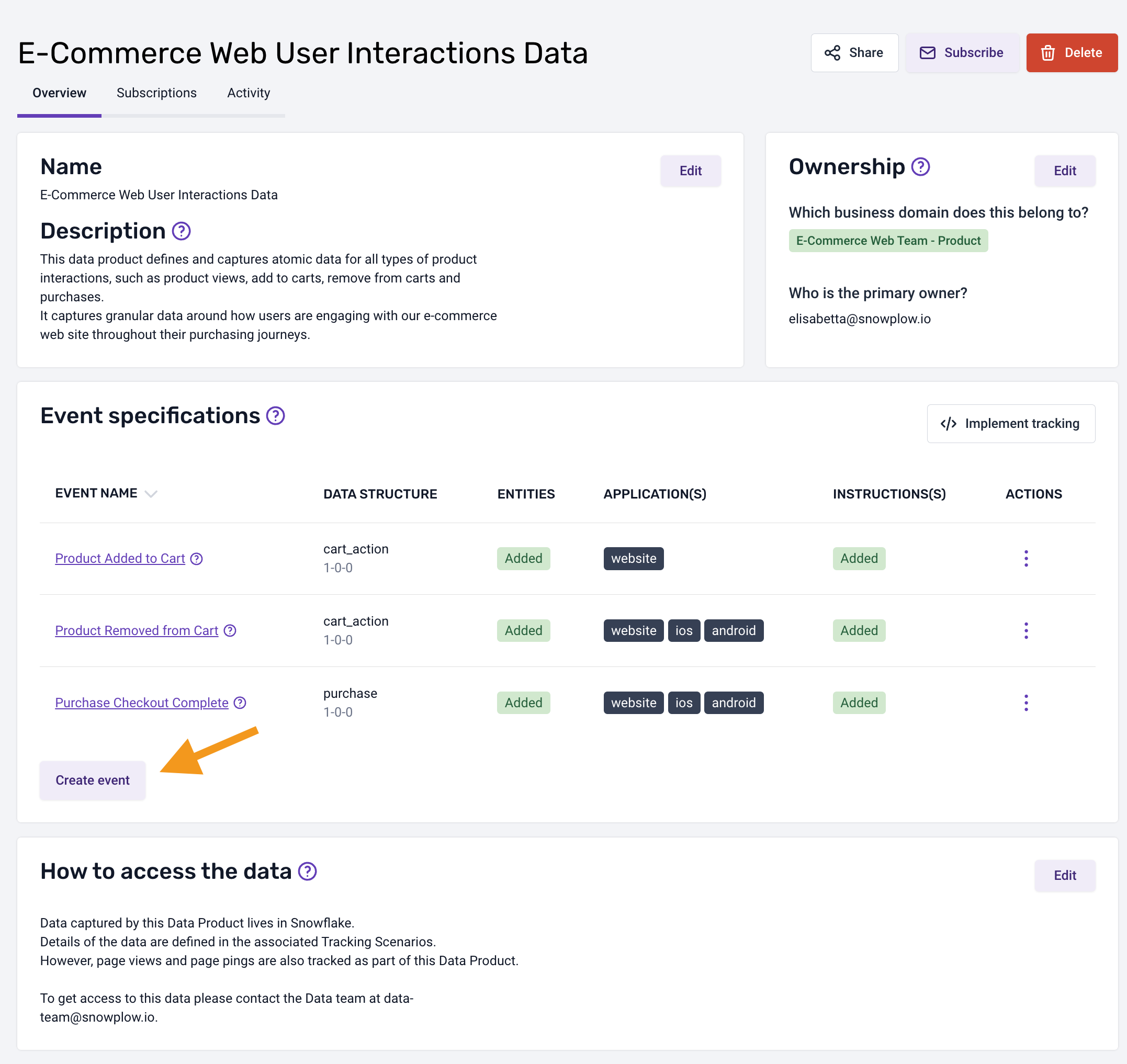
To create a new event specification, follow these steps:
- Select a tracking plan
- Click the Create event button
- A dialog will appear, prompting you to enter a name for your event specification and click Save and continue
- Your first event specification will be displayed on the page
To add more information or modify an existing event specification, follow these steps:
- Navigate to the appropriate tracking plan
- Select the desired event specification
- This action will open an overview of the selected event specification containing the details that have been added to date
This interface is divided into focused sections; explore each section below for more details.
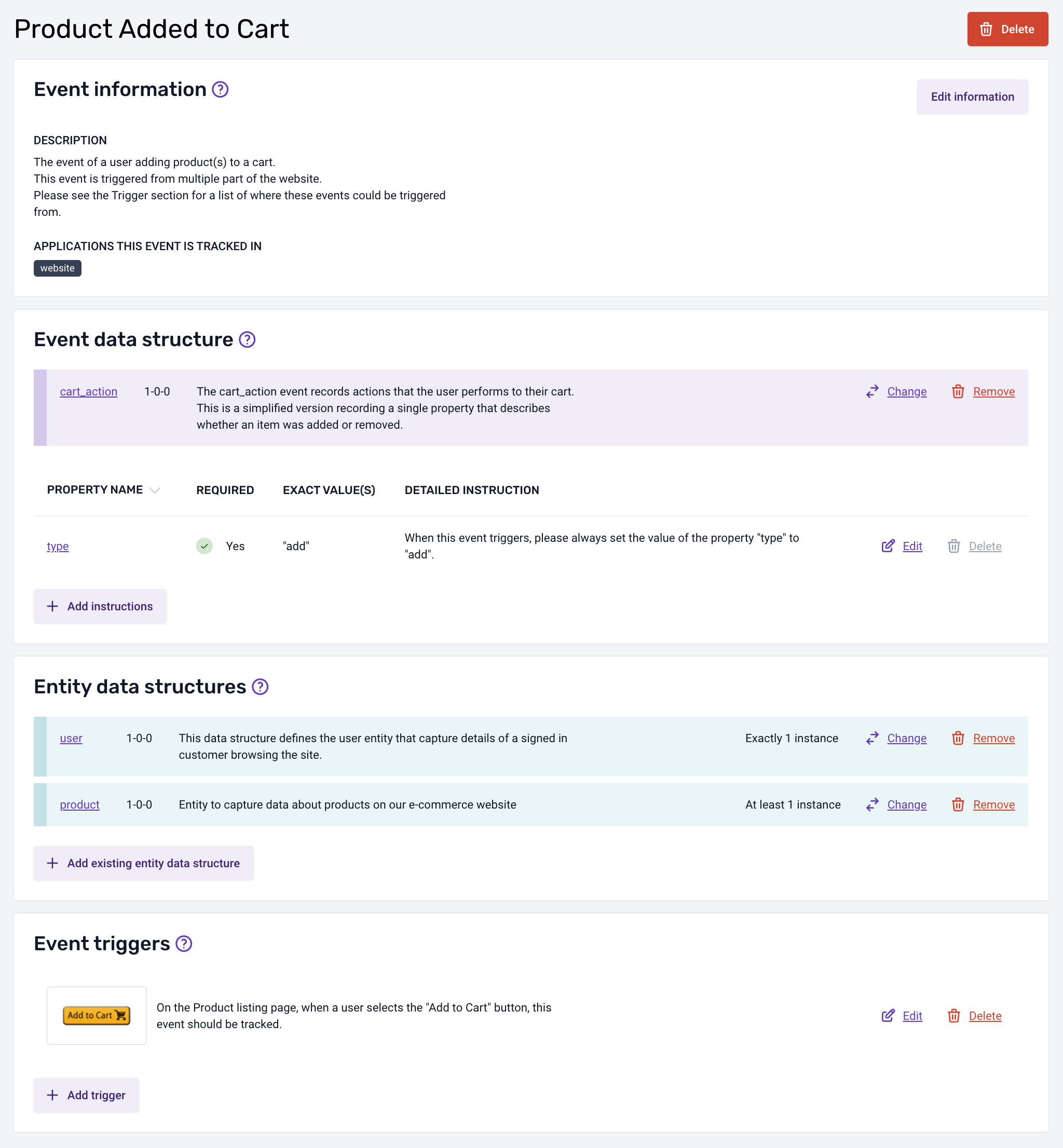
Event information
This section provides essential meta-information for your event specification, including the event name, description, and the applications in which this event is tracked.
Event data structure
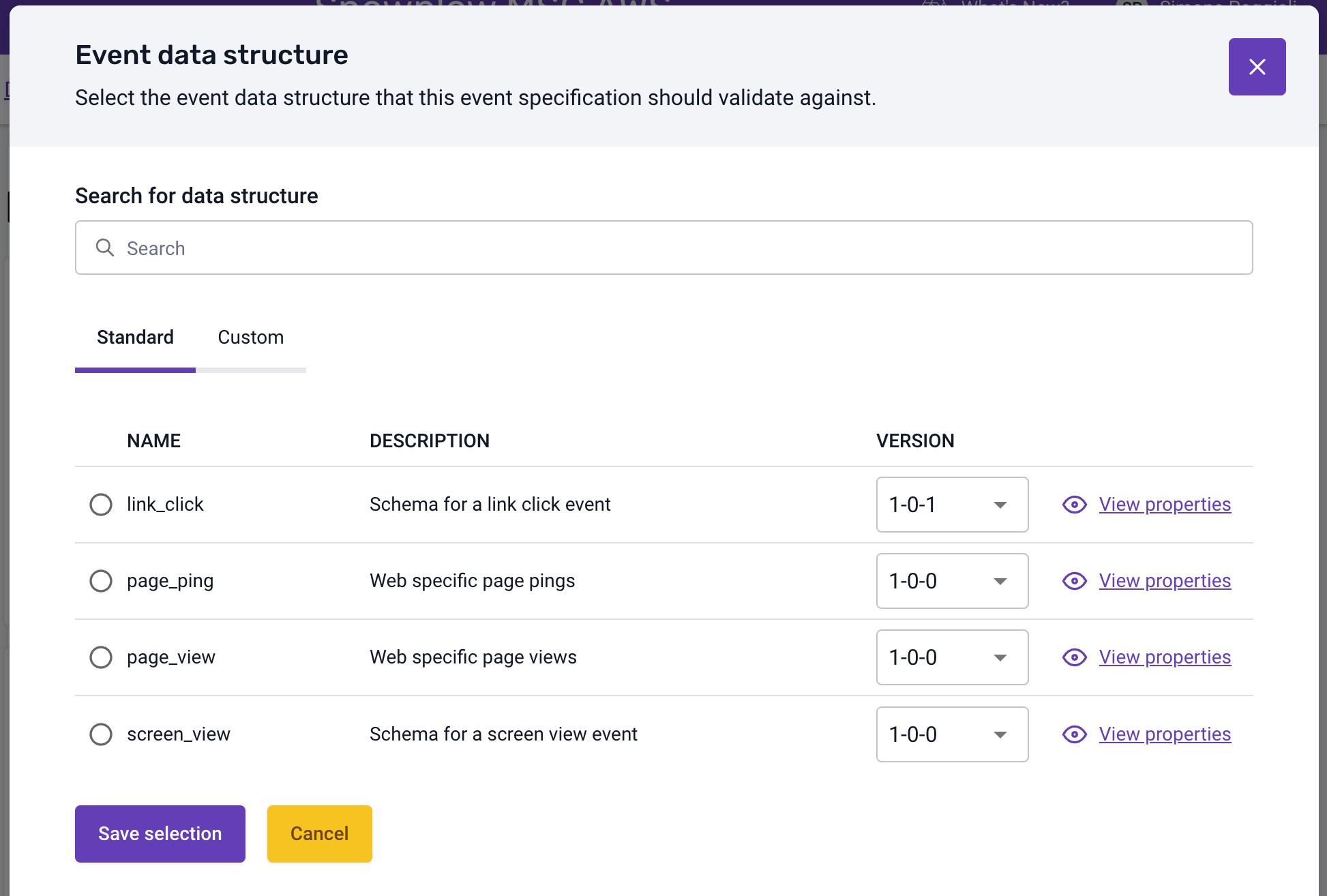
This section defines the event data structure that this event will validate against as it is processed by your pipeline.
You can choose from two types of data structures:
- Standard: provided by the Snowplow tracker by default
- Custom: provided by your organization
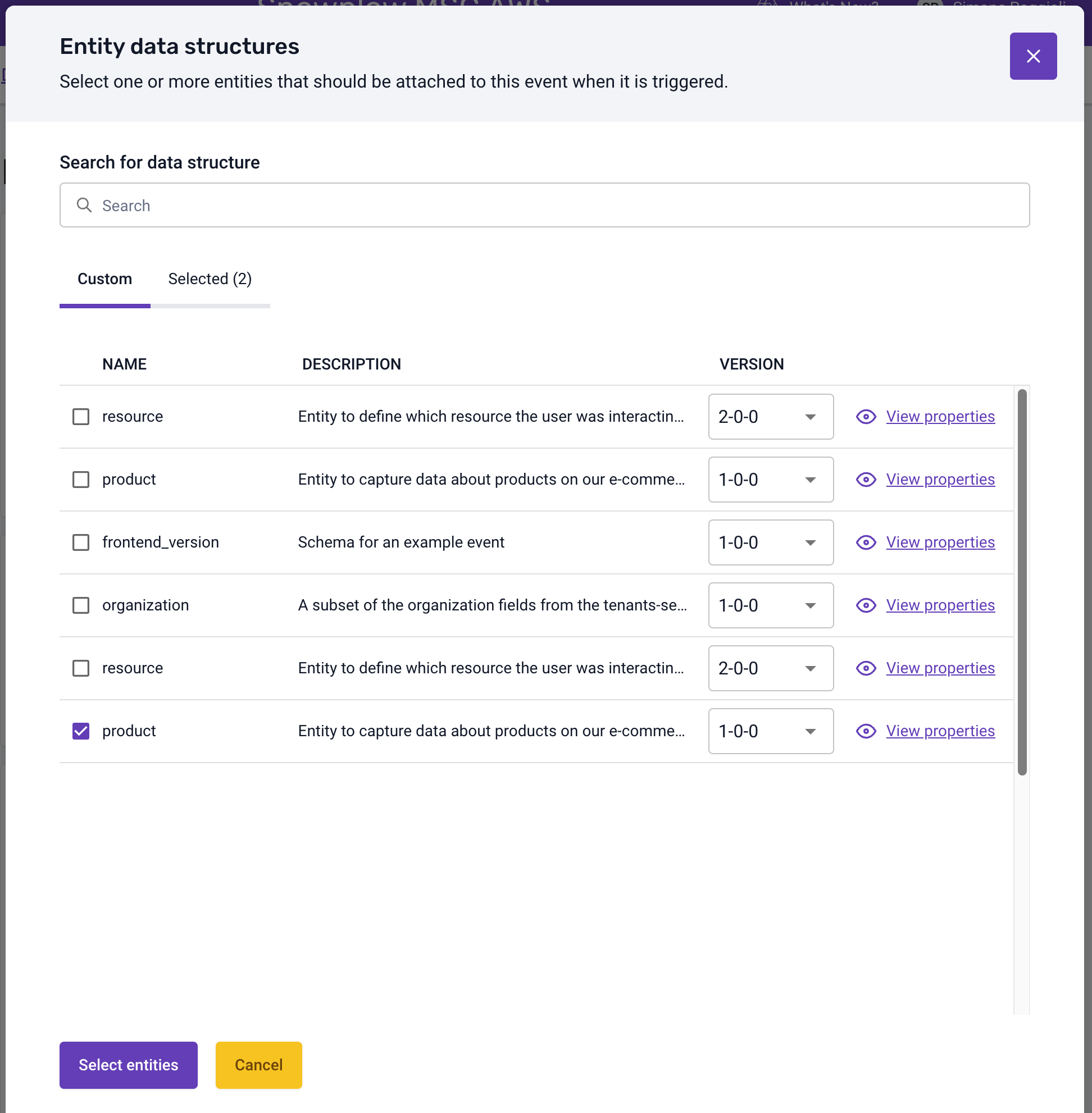
Entity data structures
Within this section, you have the flexibility to define the entities that should be associated with the event when it is triggered.
To facilitate making an informed selection of your entities, you can view a detailed breakdown of the properties associated with the chosen entities (and its version) by a specific version.
Event triggers
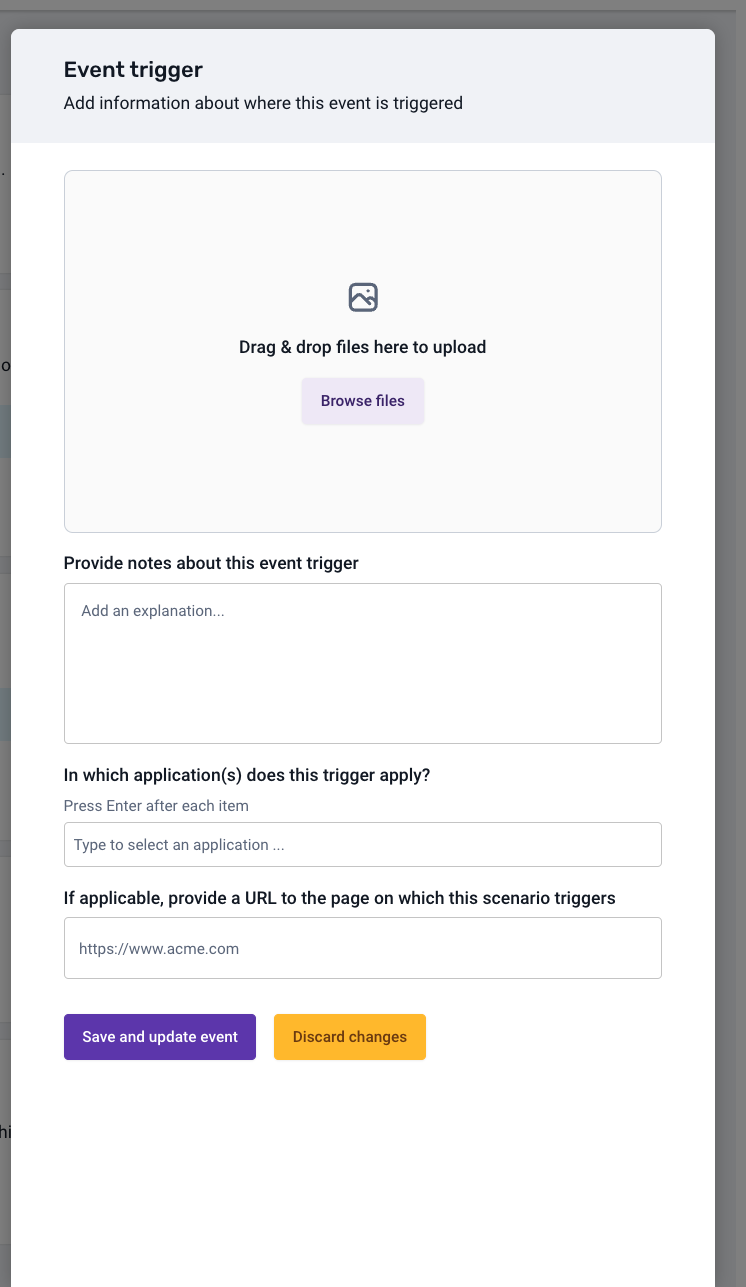
This section defines the locations and circumstances under which this event is triggered.
To create your first trigger, simply select the Add trigger button. You can edit or delete an existing trigger by clicking the dedicated buttons beside each entry in the triggers list.
A dialog will appear, allowing you to upload an image and provide additional context, such as the URL to the page on which this trigger applies.
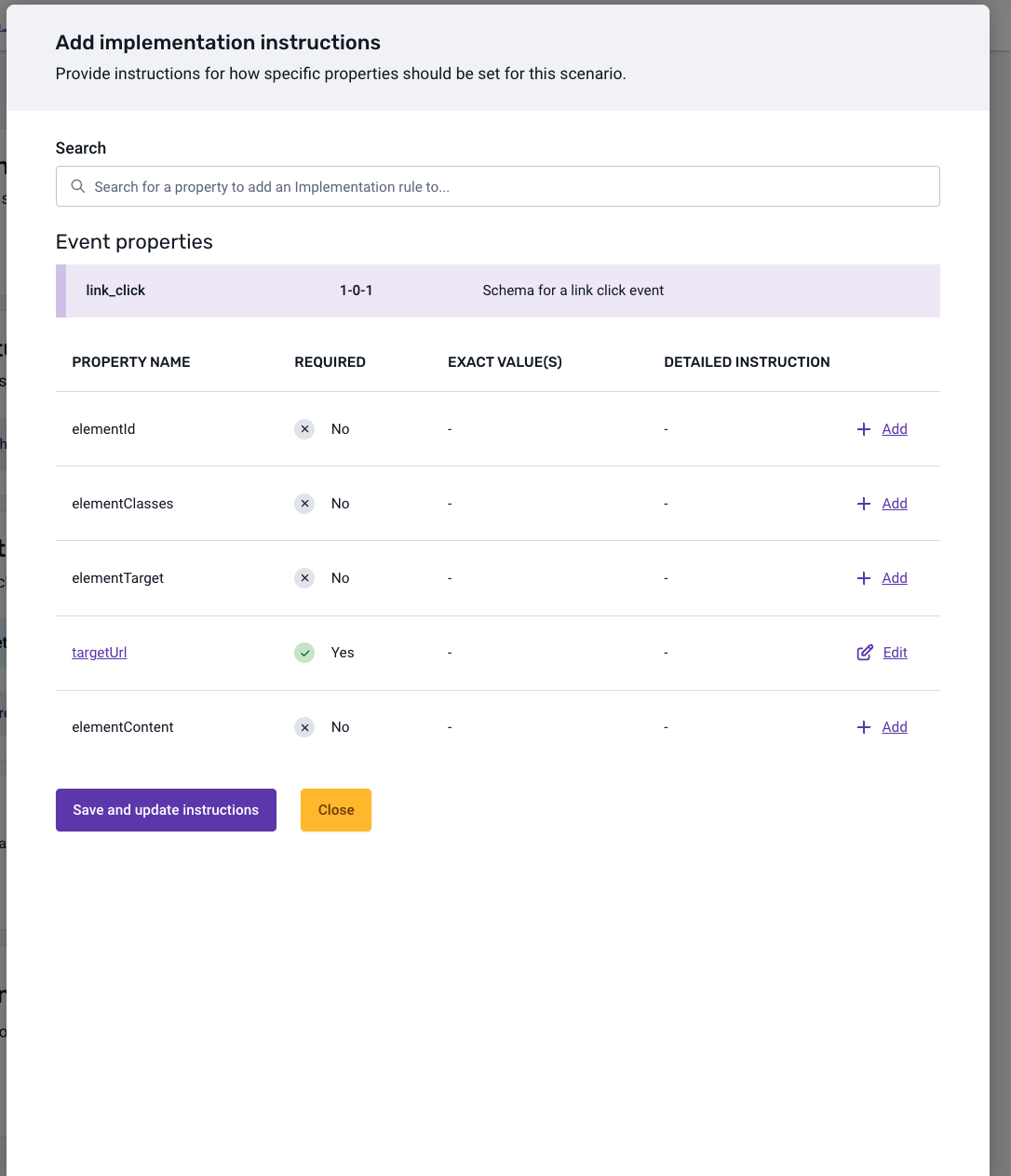
Properties
This section allows you to specify how each property for a selected event or entity data structure should be populated.
The dialog displays the list of properties for the selected data structure will be listed here, with the ability to provide the exact value/s or a description of how to populate these properties when the event is triggered.
You can configure detailed instructions for any of the properties shown in the list by clicking the Add instruction or Edit buttons. Once you have selected the type of instruction you wish to add/edit and have filled in the required input fields, you are then able to click Save and update instruction and return to the properties list.
Instructions for required properties are added by default and can be edited but they cannot be deleted.