Implement tracking with Snowtype
Once you've defined your tracking plans and event specifications, the next step is implementing the tracking code in your applications.
The best way to implement tracking is to use our CLI code generation tool, Snowtype. Snowtype reads your event specifications and data structures from your Snowplow account, and generates type-safe tracking code for the language and tracker you specify.
This provides several key advantages over manual implementation:
- Quicker implementation: reduce the work needed to produce production-ready tracking code
- Type safety: ensure your tracking code is consistent with your schemas and catch errors before they reach your pipeline
- Workflow integration: use CI/CD GitOps-like processes to keep your tracking code in sync with your schemas
For custom tracking on web, you also have the option of using the ready-to-use event specification code snippets in Console, with or without Snowtype. See below for details.
Snowtype workflow
The workflow for using Snowtype is:
- Define your events and entities in Console or programmatically.
- Generate tracking code by running Snowtype in your project. It produces typed functions you call instead of constructing event payloads manually.
- Track events using the generated functions in your application code.
- Update when schemas change. Snowtype can detect new versions and regenerate your code.
Supported trackers
Snowtype generates code for the following Snowplow trackers:
| Tracker | Language |
|---|---|
| Browser | TypeScript, JavaScript |
| JavaScript | JavaScript |
| iOS | Swift |
| Android | Kotlin |
| React Native | TypeScript |
| Flutter | Dart |
| Node.js | TypeScript, JavaScript |
| Go | Go |
| Java | Java |
| Google Tag Manager | JavaScript |
Check out the generated code examples for data structures and event specifications for each language to see how Snowtype integrates with each tracker.
Console code snippets
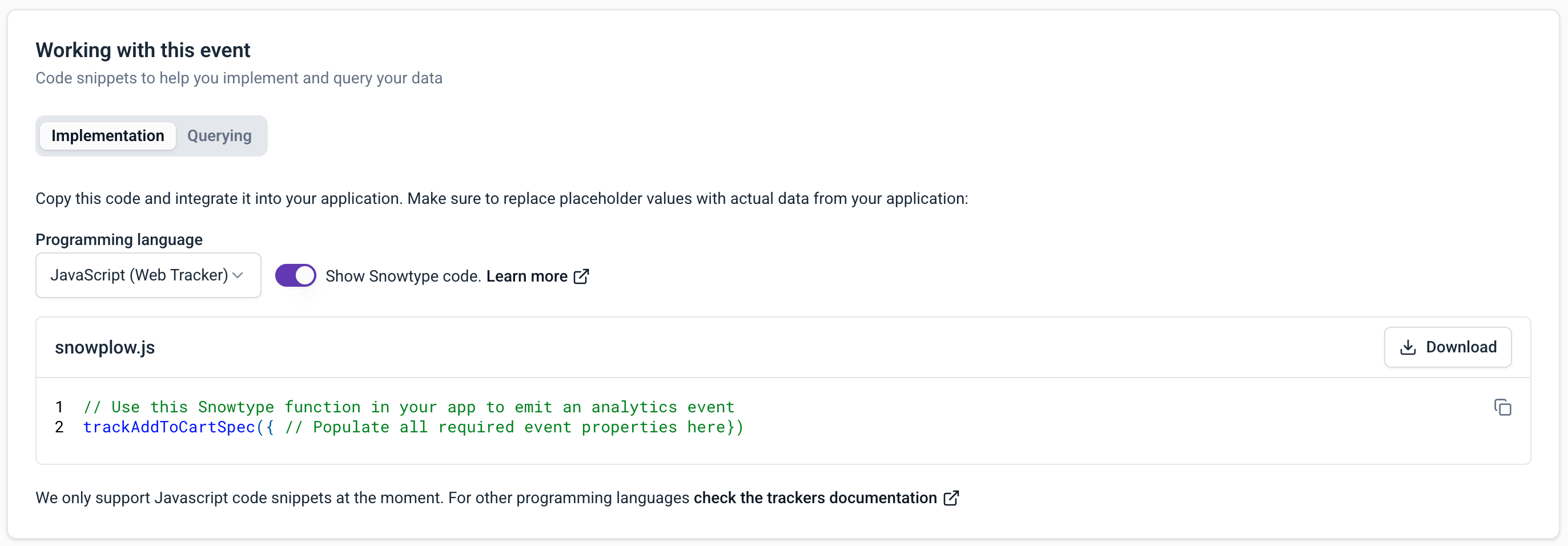
When viewing an event specification in Console, the Working with this event section provides ready-to-use code snippets.
The snippets in the Implementation tab show the exact tracking calls needed for each event, including all required properties and entities.
Code snippets are available for the JavaScript tracker only, for event specifications with custom event data structures.
Here's an example snippet for the JavaScript tracker. It provides a trackSelfDescribingEvent call for the event specification, with the correct schema references and properties.
The example event specification has an event data structure named article_click, and one entity data structure, article. The snippet also includes an autogenerated event_specification entity. This helps with analysis as it's a direct link between the tracked event and the tracking plan.
To use your snippet, paste it into your application code, and provide the appropriate property values.
window.snowplow("trackSelfDescribingEvent", {
    "event": {
        "schema": "iglu:com.example/article_click/jsonschema/1-0-1",
        "data": {
            "name": "", // string - Required - maxLength: 1000
            "location": "", // string - Nullable - maxLength: 1000
        }
    },
    "context": [
        // Entity: article (min: 0)
        {
            "schema": "iglu:com.example/article/jsonschema/3-0-0",
            "data": {
                "publish_date": "", // string - Nullable
                "content_id": "", // string - Nullable
            }
        },
        // System entity. Please do not edit it.
        {
            "schema": "iglu:com.snowplowanalytics.snowplow/event_specification/jsonschema/1-0-3",
            "data": {
                "id": "0a0ef8bb-314c-4973-8988-f192e8714d68",
                "name": "Article Click",
                "data_product_id": "28a6316a-47fd-473b-b5a1-00c555ba25e4",
                "data_product_name": "Article Performance",
                "data_product_domain": "Marketing"
            }
        }
    ]
});
Use the Show Snowtype code toggle to display the specific Snowtype function name to call in your tracking implementation. Note that it relies on you having generated the required Snowtype code in your project.