Define attributes in Signals
Attributes are the behavioral facts you want Signals to calculate, such as a user's page view count or lifetime value.
Attributes are defined within attribute groups. Each group specifies an attribute key (the identifier to calculate against), the attributes to compute, and a data source — either a real-time event stream or a warehouse table.
This section covers the definition workflow:
- Attribute groups: create a group, choose a data source, and publish it
- Attributes: configure the individual calculations within a group
- Attribute keys: use built-in identifiers or define custom ones
- Warehouse configuration: sync pre-calculated warehouse tables to Signals
To consume the calculated values in your applications, see Use in your application.
Ways to define attributes
Each page in this section documents two approaches side by side, using tabs:
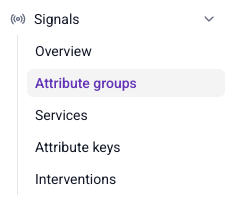
- Snowplow Console: a UI for defining and managing attribute configurations. Navigate to the Signals section, and use the Attribute groups, Attribute keys, and Services pages to create and manage your configuration.
- Signals Python SDK: define and publish attribute configurations programmatically from a notebook or script. Start by connecting to Signals.
You can also use the Signals API to interact with Signals directly over HTTP.
To define attributes by describing them in plain language, use the Snowplow Assistant in Console, or connect your own AI assistant to the Snowplow MCP server. The assistant drafts, tests, and publishes attribute groups and services for you. In a coding agent, run npx plugins add snowplow/skills to install the MCP server and the Snowplow skills. See the conversational Signals tutorial for a walkthrough.
Configuration workflow
Attribute groups move through the same lifecycle whether you manage them in Console or with the Python SDK:
- Define: create the attribute group, choosing its data source, attribute key, and attributes. In Console, new attribute groups are saved as drafts, so you can edit them freely before publishing.
- Test: preview the attribute values the group would produce, calculated from recent events in your warehouse.
- Publish: apply the configuration to your Signals infrastructure. Signals starts calculating attributes, or syncing warehouse tables, and populating the Profiles Store. Definitions only take effect once published: values are calculated from this point onwards, unless you've configured a backfill.
- Update: editing a published attribute group creates a new version, leaving the published version unchanged. This means you can iterate on definitions without breaking downstream processes, then migrate consumers by updating your service definitions.
- Unpublish: stop calculation for a specific version without losing its definition. Existing values remain in the Profiles Store, and you can republish later.
- Delete: permanently remove all versions of the group, along with its calculated values in the Profiles Store. Attribute groups must be unpublished before they can be deleted.
Interventions follow the same lifecycle. Services are simpler: they're published automatically as soon as they're created, and aren't versioned.
Each page in this section, along with the services and interventions pages, documents the Console and Python SDK specifics for these steps.
You don't need a Snowplow pipeline to start. The Signals free tier includes event collection, so you add a tracker to your application and Signals computes attributes from its events. It needs no credit card.