Discover and manage events with the Event Catalog
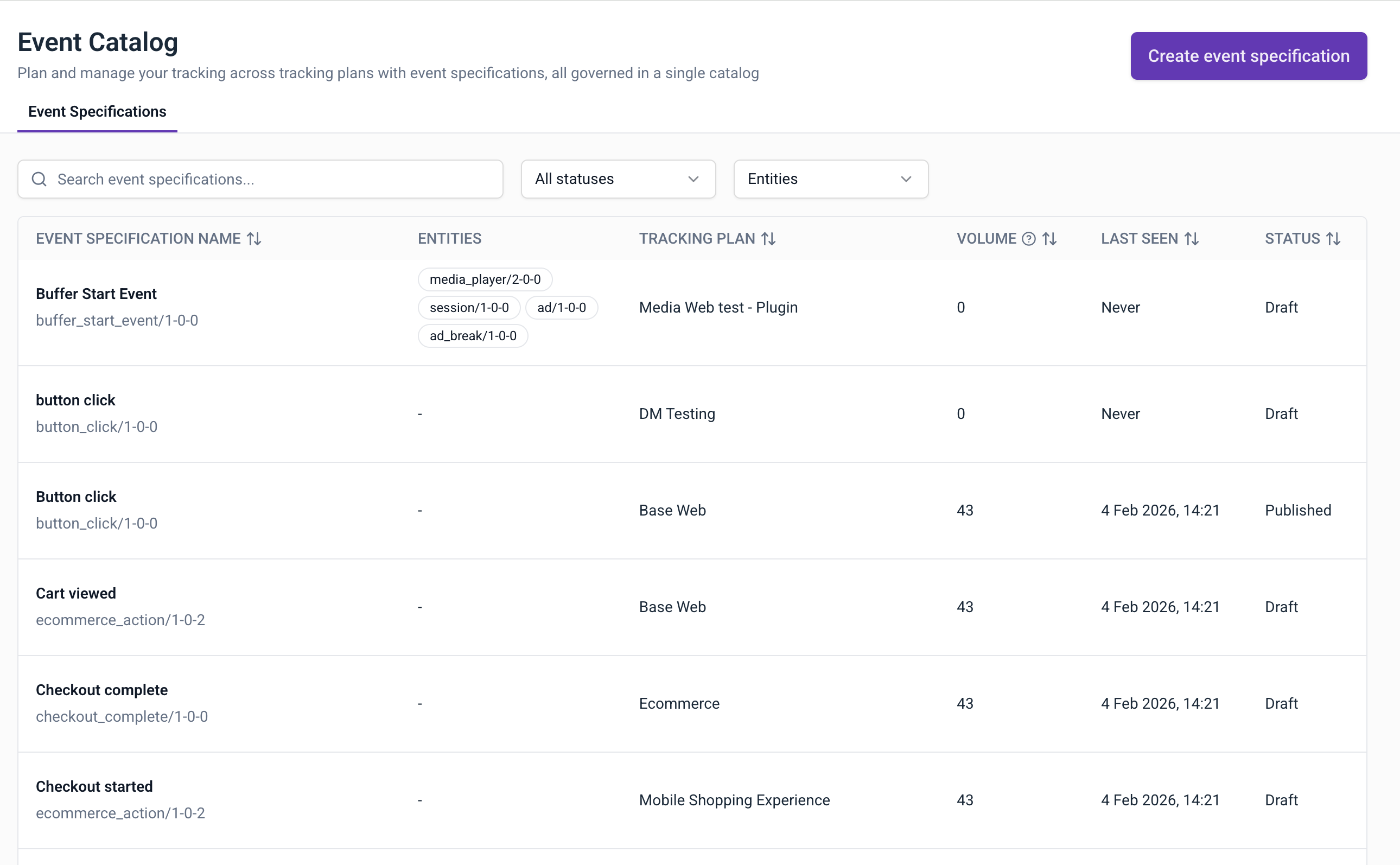
The Event Catalog provides a centralized location to discover and manage all event specifications across your tracking plans. Instead of navigating through individual tracking plans to find specific events, you can browse, search, and filter all event specifications from a single view.
When your organization has multiple tracking plans across different teams and domains, finding specific event specifications can become challenging. The Event Catalog addresses this by:
- Centralizing discovery: browse all event specifications in one place rather than searching through individual tracking plans
- Improving governance: maintain oversight of all event specifications and their status across your organization
- Streamlining onboarding: help new team members understand what events are available and how they're organized
- Enabling cross-team collaboration: see how different teams have defined similar events and share best practices
Access the Event Catalog
Navigate to Event Catalog in the main navigation.
Browse event specifications
The Event Catalog provides a comprehensive list of all event specifications defined across your tracking plans. Each row displays:
| Column | Description |
|---|---|
| Event specification name | The name and schema identifier of the event specification |
| Entities | The entities attached to the event |
| Tracking plan | The tracking plan containing the event specification |
| Volume | The number of events collected |
| Last seen | When the event was last received |
| Status | The status of the event specification |
Filter and search
You can filter and search the list to find specific event specifications. Use the controls at the top of the list:
- Search: enter text to filter by event specification name
- Status filter: show all specifications or filter by Draft or Published status
- Entity filter: filter specifications by attached entities
Create event specifications
From the Event Catalog, you can create new event specifications without first navigating to a tracking plan.
To create an event specification:
- Click Create event specification
- Enter a name that describes the event
- Optionally add a description
- Select the tracking plan this event specification belongs to
- Select the source applications where this event is tracked
- Click Confirm
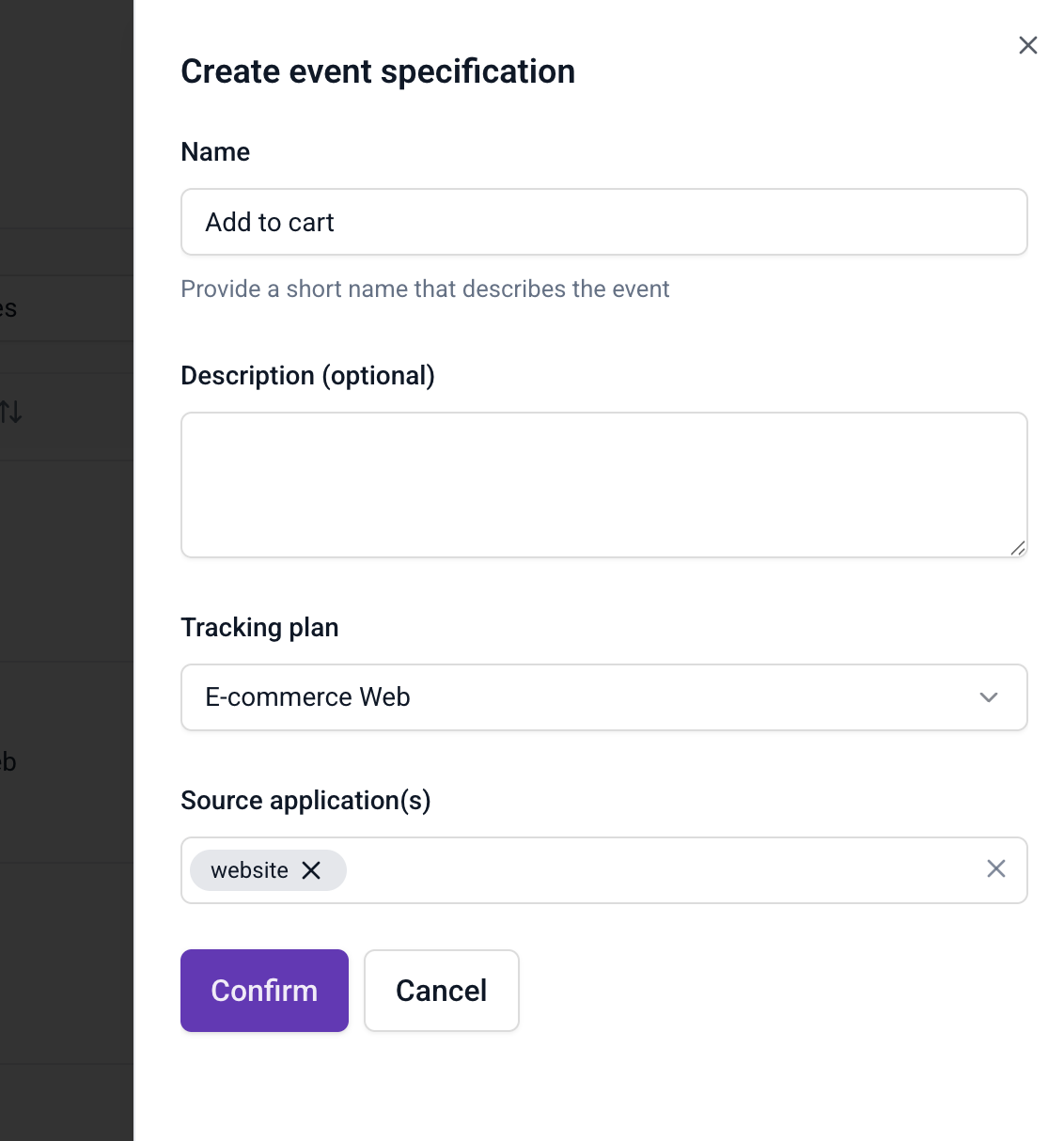
After creation, you can add event and entity data structures, triggers, and property instructions.
Use descriptive names that reflect the business action being tracked. For example, "Add to cart" is clearer than "cart_event_1".