Implement tracking in your applications
Once you've defined your tracking plans and event specifications, the next step is implementing the tracking code in your applications.
Snowplow provides several approaches to generate and implement tracking code:
- Ready-to-use code snippets in Console (web only)
- Snowtype code generation tool
- Manual integration with Snowplow trackers
Console code snippets
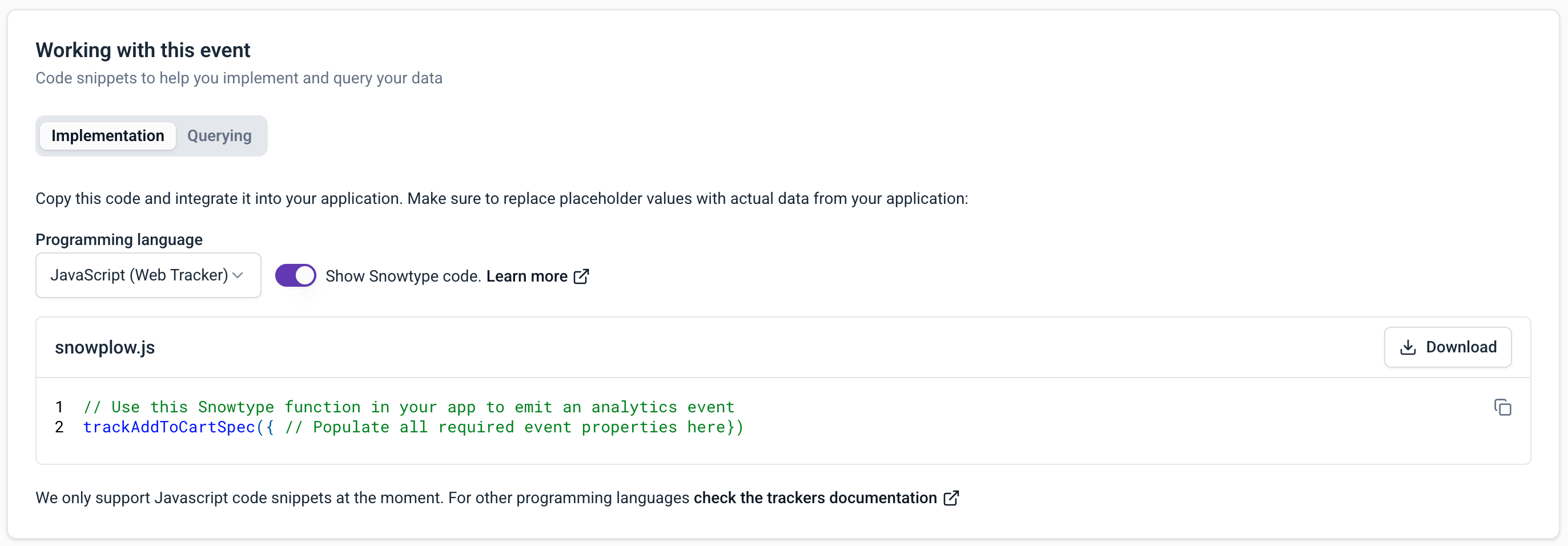
When viewing an event specification in Console, the Working with this event section provides ready-to-use code snippets.
The snippets in the Implementation tab show the exact tracking calls needed for each event, including all required properties and entities.
Code snippets are available for the JavaScript tracker only, for event specifications with custom event data structures.
Here's an example snippet for the JavaScript tracker. It provides a trackSelfDescribingEvent call for the event specification, with the correct schema references and properties.
The example event specification has an event data structure named article_click, and one entity data structure, article. The snippet also includes an autogenerated event_specification entity. This helps with analysis as it's a direct link between the tracked event and the tracking plan.
To use your snippet, paste it into your application code, and provide the appropriate property values.
window.snowplow("trackSelfDescribingEvent", {
    "event": {
        "schema": "iglu:com.example/article_click/jsonschema/1-0-1",
        "data": {
            "name": "", // string - Required - maxLength: 1000
            "location": "", // string - Nullable - maxLength: 1000
        }
    },
    "context": [
        // Entity: article (min: 0)
        {
            "schema": "iglu:com.example/article/jsonschema/3-0-0",
            "data": {
                "publish_date": "", // string - Nullable
                "content_id": "", // string - Nullable
            }
        },
        // System entity. Please do not edit it.
        {
            "schema": "iglu:com.snowplowanalytics.snowplow/event_specification/jsonschema/1-0-3",
            "data": {
                "id": "0a0ef8bb-314c-4973-8988-f192e8714d68",
                "name": "Article Click",
                "data_product_id": "28a6316a-47fd-473b-b5a1-00c555ba25e4",
                "data_product_name": "Article Performance",
                "data_product_domain": "Marketing"
            }
        }
    ]
});
Use the Show Snowtype code toggle to display the specific Snowtype function name to call for tracking implementation.