Media playback
The Snowplow media tracking APIs enable you to track events from media playback on the web as well as in mobile apps. Track changes in the media playback e.g., play, pause, seek events, playback position with ping and percentage progress events, or ad playback events e.g., ad breaks, ad progress, or ad clicks.
While some trackers provide additional integrations with media players, the media tracking APIs are designed to be player agnostic.
Use media tracking to answer questions such as:
- Are users watching videos without sound?
- Which pieces of audio content do users play to completion?
- Where do users drop off during playback?
- How does buffering affect engagement?
- Which ads do users skip, click, or watch?
The media tracking works with a set of out-of-the-box events and entities. You can add custom entities to the events as required.
Media events fall into three categories: playback lifecycle events, player state changes, and advertising events. For most implementations, you'll need to track these events yourself.
Many media events have no properties of their own. The user behavior is captured in the event type, and the media player, session, ad, or ad break entities that are automatically attached to the event.
The event schema URIs have the format:
iglu:com.snowplowanalytics.snowplow.media/{EVENT_TYPE}/jsonschema/1-0-0.
Media API versions
The current set of media APIs has evolved from an earlier, more limited implementation. We refer to them as v1 and v2 of the media tracking APIs. Unless otherwise stated, all documentation refers to v2 of the media tracking APIs.
The Media Player dbt data model supports both versions since version 0.6.0. The v2 schemas are the default.
The newer v2 implementation has many more features than v1, including:
- Advertising tracking support
- Media ping events at configurable intervals
- Session entity with aggregated statistics
- Quality change tracking for bitrate, FPS, and quality level
- Buffer and seek start/end event pairs
- Filtering of repeated events (seek, volume)
- Page activity updates during playback
The v1 implementation used a single media_player_event schema for all events, distinguishing between actions using the type field. See the Version 1 schemas section at the end of this page for details. The v2 implementation uses separate schemas for each event type.
Tracker support
This table shows the support for media tracking across the main client-side Snowplow tracker SDKs. The server-side trackers don't include media tracking APIs.
Auto-tracking means that the tracker can subscribe to and track events from a registered media player, without you needing to manually track each event.
| Tracker | Plugin | Supported | Since version | Auto-tracking | Notes |
|---|---|---|---|---|---|
| Web | Snowplow | ✅ | 3.12.0 (Media v2) | ❌ | |
| Web | HTML5 | ✅ | 3.2.0 (Media v1), 4.0.0 (Media v2) | ✅ | |
| Web | YouTube | ✅ | 3.2.0 (Media v1), 4.0.0 (Media v2) | ✅ | |
| Web | Vimeo | ✅ | 3.14.0 (Media v2) | ✅ | |
| iOS | ✅ | 5.3.0 (Media v2) | ✅/❌ | Auto-tracking for AVPlayer | |
| Android | ✅ | 5.3.0 (Media v2) | ❌ | ||
| React Native | ❌ | Use the media schemas for your own custom events, or the media web tracking plan template | |||
| Flutter | ✅ | 0.7.0 (Media v2) | ❌ | ||
| Roku | ✅ | 0.1.0 (Media v1), 0.3.0 (Media v2) | ✅ | ||
| Google Tag Manager | ❌ |
The Snowplow media tracking APIs are supported by the Media Player dbt data model.
We recommend using the Media base tracking plan template for media tracking on web.
How to use the media APIs
Each media player instance needs to be registered with the tracker, using a unique session ID. Set the media session ID to a random string. In the browser, you could generate this with a function such as crypto.randomUUID(). The ID should be unique to a single session within a single player instance.
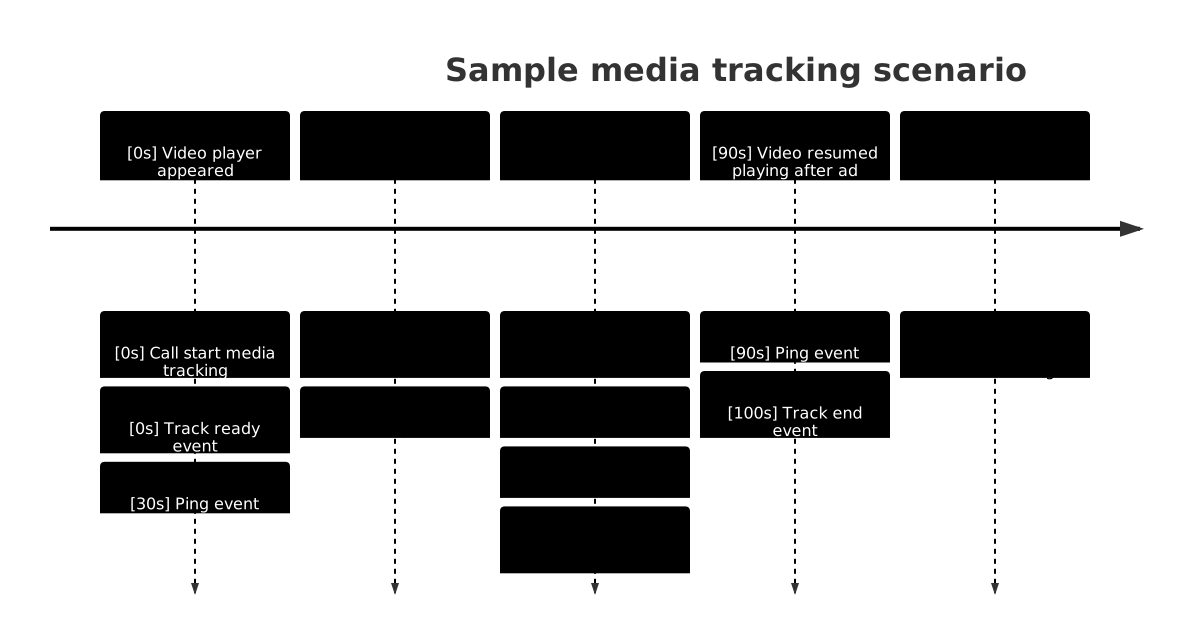
Check out our example React application to see tracked media events and entities live as you watch a video.
The source code for the app is available here.
Start a session
To start tracking user behavior involving that player, call the appropriate startMediaTracking function. The exact API is different for each tracker. Call startMediaTracking as soon as the player has loaded, not when playback begins. This ensures that session tracking begins immediately, and allows for accurate measurement of metrics such as buffering time or time to first frame.
A media session should correspond to a single media playback, including any ads that play before, during, or after the media. Metrics are collected against a media session, so it's important to set it correctly.
Configure the player
You can provide additional player information and configuration when calling startMediaTracking, as well as in subsequent tracking calls.
We recommend providing a human-readable name for the media content as a label property. It'll be tracked as part of the media player entity. The label helps you quickly identify which content a media session relates to during analysis, and is used in combination with the media type, player type, and player ID to create the media stats table with the Media Player dbt package.
Track playback
Track user interactions with the appropriate media tracking calls. Call trackMediaPlay when the main media content starts playing, even if there are pre-roll ads. The media session model accounts for both total play time and play time excluding ads.
We recommend continually updating the media player state by calling updateMediaTracking or equivalent update function every second. This function does not send events to the Collector, but updates internal attributes to ensure accurate metrics for the next event.
How you handle livestreams and playlists depends on whether you want to analyze them as a single session or split by content:
- Analyze as a single session: update the player label using
updateMediaTrackingwhen the content changes. This won't split the session in the data model. - Analyze as separate sessions per content segment: end and restart the media session each time the content changes. Customize
media_session_idto include segments, for example,livestream-1,livestream-2orplaylist-1,playlist-2, and aggregate later using a shared prefix or a customlivestream_id/playlist_id.
Filter events
You don't need to send the media ping events, or any other tracked media events, to the data warehouse. The media APIs include a configuration option to filter out certain events, or to keep only specified events. Filtered events aren't sent to the Collector.
To drop unwanted tracked events within the pipeline, use a custom JavaScript enrichment.
End a session
When playback ends, call the endMediaTracking function to end the session, clean up event listeners, and stop any background pings. Call this when you want to reset session stats, even if the media wasn't fully watched. It does not fire any events.
On web, if the user closes the browser or tab, you don't need to call endMediaTracking — pings stop automatically. In single-page applications, if endMediaTracking is missed, you may see one or two additional ping events, up to the maxPausedPings limit.
There's also a trackMediaEnd function that you can call to track when the media reaches 100% progress (fully watched). This is tracked as a media event. It's common to see sessions without a trackMediaEnd event if the user didn't finish the content.
If the content finishes and the user rewinds, continue the same session. Use the timePlayed and contentWatched metrics within the media session entity to understand rewatches compared to how much of the media content they watched.
Playback lifecycle events
These events track the core playback flow from start to finish.
Media pings
Media ping events are events sent in a regular interval while media tracking is active. They inform about the current state of the media playback, and keep the media session alive.
By default, ping events are sent every 30 seconds. They're sent in an interval that is unrelated to the media playback. However, to prevent sending too many events, there is a limit to how many ping events can be sent while the media is paused. By default, this is set to 1. You can change this by configuring maxPausedPings (not available on Roku).
ping_event
EventProperties and schema
- Table
- JSON schema
This schema has no properties.
{
  "$schema": "http://iglucentral.com/schemas/com.snowplowanalytics.self-desc/schema/jsonschema/1-0-0#",
  "description": "Media player event fired periodically during main content playback, regardless of other API events that have been sent.",
  "self": {
    "vendor": "com.snowplowanalytics.snowplow.media",
    "name": "ping_event",
    "format": "jsonschema",
    "version": "1-0-0"
  },
  "type": "object",
  "properties": {},
  "additionalProperties": false
}
Warehouse query
- Snowflake
- BigQuery
- Databricks
- Redshift & Postgres
select
unstruct_event_com_snowplowanalytics_snowplow_media_ping_event_1 ping_event_1
from
atomic.events
where
events.collector_tstamp > getdate() - interval '1 hour'
and events.event = 'unstruct'
and events.event_name = 'ping_event'
and events.event_vendor = 'com.snowplowanalytics.snowplow.media'
select
unstruct_event_com_snowplowanalytics_snowplow_media_ping_event_1_0_0
from
PIPELINE_NAME.events events
where
events.collector_tstamp > timestamp_sub(current_timestamp(), interval 1 hour)
and events.event = 'unstruct'
and events.event_name = 'ping_event'
and events.event_vendor = 'com.snowplowanalytics.snowplow.media'
select
unstruct_event_com_snowplowanalytics_snowplow_media_ping_event_1
from
atomic.events events
where
events.collector_tstamp > timestampadd(HOUR, -1, current_timestamp())
and events.event = 'unstruct'
and events.event_name = 'ping_event'
and events.event_vendor = 'com.snowplowanalytics.snowplow.media'
and unstruct_event_com_snowplowanalytics_snowplow_media_ping_event_1 is not null
select
"ping_event_1".*
from
atomic.events events
join atomic.com_snowplowanalytics_snowplow_media_ping_event_1 "ping_event_1"
  on "ping_event_1".root_id = events.event_id and "ping_event_1".root_tstamp = events.collector_tstamp
where
events.collector_tstamp > getdate() - interval '1 hour'
and "ping_event_1".root_tstamp > getdate() - interval '1 hour'
and events.event = 'unstruct'
and events.event_name = 'ping_event'
and events.event_vendor = 'com.snowplowanalytics.snowplow.media'
Buffer end
Track a buffering end event when the the player finishes buffering content and resumes playback.
buffer_end_event
EventProperties and schema
- Table
- JSON schema
This schema has no properties.
{
  "$schema": "http://iglucentral.com/schemas/com.snowplowanalytics.self-desc/schema/jsonschema/1-0-0#",
  "description": "Media player event fired when the the player finishes buffering content and resumes playback.",
  "self": {
    "vendor": "com.snowplowanalytics.snowplow.media",
    "name": "buffer_end_event",
    "format": "jsonschema",
    "version": "1-0-0"
  },
  "type": "object",
  "properties": {},
  "additionalProperties": false
}
Warehouse query
- Snowflake
- BigQuery
- Databricks
- Redshift & Postgres
select
unstruct_event_com_snowplowanalytics_snowplow_media_buffer_end_event_1 buffer_end_event_1
from
atomic.events
where
events.collector_tstamp > getdate() - interval '1 hour'
and events.event = 'unstruct'
and events.event_name = 'buffer_end_event'
and events.event_vendor = 'com.snowplowanalytics.snowplow.media'
select
unstruct_event_com_snowplowanalytics_snowplow_media_buffer_end_event_1_0_0
from
PIPELINE_NAME.events events
where
events.collector_tstamp > timestamp_sub(current_timestamp(), interval 1 hour)
and events.event = 'unstruct'
and events.event_name = 'buffer_end_event'
and events.event_vendor = 'com.snowplowanalytics.snowplow.media'
select
unstruct_event_com_snowplowanalytics_snowplow_media_buffer_end_event_1
from
atomic.events events
where
events.collector_tstamp > timestampadd(HOUR, -1, current_timestamp())
and events.event = 'unstruct'
and events.event_name = 'buffer_end_event'
and events.event_vendor = 'com.snowplowanalytics.snowplow.media'
and unstruct_event_com_snowplowanalytics_snowplow_media_buffer_end_event_1 is not null
select
"buffer_end_event_1".*
from
atomic.events events
join atomic.com_snowplowanalytics_snowplow_media_buffer_end_event_1 "buffer_end_event_1"
  on "buffer_end_event_1".root_id = events.event_id and "buffer_end_event_1".root_tstamp = events.collector_tstamp
where
events.collector_tstamp > getdate() - interval '1 hour'
and "buffer_end_event_1".root_tstamp > getdate() - interval '1 hour'
and events.event = 'unstruct'
and events.event_name = 'buffer_end_event'
and events.event_vendor = 'com.snowplowanalytics.snowplow.media'
Buffer start
Track a buffering start event when the player goes into the buffering state and begins to buffer content.
The tracker will calculate the time since this event until a buffer end event, play event, or a change in playback position. It will add the duration to the timeBuffering property in the media session entity.
buffer_start_event
EventProperties and schema
- Table
- JSON schema
This schema has no properties.
{
  "$schema": "http://iglucentral.com/schemas/com.snowplowanalytics.self-desc/schema/jsonschema/1-0-0#",
  "description": "Media player event fired when the player goes into the buffering state and begins to buffer content.",
  "self": {
    "vendor": "com.snowplowanalytics.snowplow.media",
    "name": "buffer_start_event",
    "format": "jsonschema",
    "version": "1-0-0"
  },
  "type": "object",
  "properties": {},
  "additionalProperties": false
}
Warehouse query
- Snowflake
- BigQuery
- Databricks
- Redshift & Postgres
select
unstruct_event_com_snowplowanalytics_snowplow_media_buffer_start_event_1 buffer_start_event_1
from
atomic.events
where
events.collector_tstamp > getdate() - interval '1 hour'
and events.event = 'unstruct'
and events.event_name = 'buffer_start_event'
and events.event_vendor = 'com.snowplowanalytics.snowplow.media'
select
unstruct_event_com_snowplowanalytics_snowplow_media_buffer_start_event_1_0_0
from
PIPELINE_NAME.events events
where
events.collector_tstamp > timestamp_sub(current_timestamp(), interval 1 hour)
and events.event = 'unstruct'
and events.event_name = 'buffer_start_event'
and events.event_vendor = 'com.snowplowanalytics.snowplow.media'
select
unstruct_event_com_snowplowanalytics_snowplow_media_buffer_start_event_1
from
atomic.events events
where
events.collector_tstamp > timestampadd(HOUR, -1, current_timestamp())
and events.event = 'unstruct'
and events.event_name = 'buffer_start_event'
and events.event_vendor = 'com.snowplowanalytics.snowplow.media'
and unstruct_event_com_snowplowanalytics_snowplow_media_buffer_start_event_1 is not null
select
"buffer_start_event_1".*
from
atomic.events events
join atomic.com_snowplowanalytics_snowplow_media_buffer_start_event_1 "buffer_start_event_1"
  on "buffer_start_event_1".root_id = events.event_id and "buffer_start_event_1".root_tstamp = events.collector_tstamp
where
events.collector_tstamp > getdate() - interval '1 hour'
and "buffer_start_event_1".root_tstamp > getdate() - interval '1 hour'
and events.event = 'unstruct'
and events.event_name = 'buffer_start_event'
and events.event_vendor = 'com.snowplowanalytics.snowplow.media'
Pause event
Track a pause event when the user pauses the playback.
Tracking this event will automatically set the paused property in the media player entity to true.
pause_event
EventProperties and schema
- Table
- JSON schema
This schema has no properties.
{
  "$schema": "http://iglucentral.com/schemas/com.snowplowanalytics.self-desc/schema/jsonschema/1-0-0#",
  "description": "Media player event sent when the user pauses the playback.",
  "self": {
    "vendor": "com.snowplowanalytics.snowplow.media",
    "name": "pause_event",
    "format": "jsonschema",
    "version": "1-0-0"
  },
  "type": "object",
  "properties": {},
  "additionalProperties": false
}
Warehouse query
- Snowflake
- BigQuery
- Databricks
- Redshift & Postgres
select
unstruct_event_com_snowplowanalytics_snowplow_media_pause_event_1 pause_event_1
from
atomic.events
where
events.collector_tstamp > getdate() - interval '1 hour'
and events.event = 'unstruct'
and events.event_name = 'pause_event'
and events.event_vendor = 'com.snowplowanalytics.snowplow.media'
select
unstruct_event_com_snowplowanalytics_snowplow_media_pause_event_1_0_0
from
PIPELINE_NAME.events events
where
events.collector_tstamp > timestamp_sub(current_timestamp(), interval 1 hour)
and events.event = 'unstruct'
and events.event_name = 'pause_event'
and events.event_vendor = 'com.snowplowanalytics.snowplow.media'
select
unstruct_event_com_snowplowanalytics_snowplow_media_pause_event_1
from
atomic.events events
where
events.collector_tstamp > timestampadd(HOUR, -1, current_timestamp())
and events.event = 'unstruct'
and events.event_name = 'pause_event'
and events.event_vendor = 'com.snowplowanalytics.snowplow.media'
and unstruct_event_com_snowplowanalytics_snowplow_media_pause_event_1 is not null
select
"pause_event_1".*
from
atomic.events events
join atomic.com_snowplowanalytics_snowplow_media_pause_event_1 "pause_event_1"
  on "pause_event_1".root_id = events.event_id and "pause_event_1".root_tstamp = events.collector_tstamp
where
events.collector_tstamp > getdate() - interval '1 hour'
and "pause_event_1".root_tstamp > getdate() - interval '1 hour'
and events.event = 'unstruct'
and events.event_name = 'pause_event'
and events.event_vendor = 'com.snowplowanalytics.snowplow.media'
Playback end
Track a playback end event when playback stops, either when the end of the media is reached, or because no further data is available.
Tracking this event will automatically set the ended and paused properties in the media player entity to true.
end_event
EventProperties and schema
- Table
- JSON schema
This schema has no properties.
{
  "$schema": "http://iglucentral.com/schemas/com.snowplowanalytics.self-desc/schema/jsonschema/1-0-0#",
  "description": "Media player event sent when playback stops when end of the media is reached or because no further data is available.",
  "self": {
    "vendor": "com.snowplowanalytics.snowplow.media",
    "name": "end_event",
    "format": "jsonschema",
    "version": "1-0-0"
  },
  "type": "object",
  "properties": {},
  "additionalProperties": false
}
Warehouse query
- Snowflake
- BigQuery
- Databricks
- Redshift & Postgres
select
unstruct_event_com_snowplowanalytics_snowplow_media_end_event_1 end_event_1
from
atomic.events
where
events.collector_tstamp > getdate() - interval '1 hour'
and events.event = 'unstruct'
and events.event_name = 'end_event'
and events.event_vendor = 'com.snowplowanalytics.snowplow.media'
select
unstruct_event_com_snowplowanalytics_snowplow_media_end_event_1_0_0
from
PIPELINE_NAME.events events
where
events.collector_tstamp > timestamp_sub(current_timestamp(), interval 1 hour)
and events.event = 'unstruct'
and events.event_name = 'end_event'
and events.event_vendor = 'com.snowplowanalytics.snowplow.media'
select
unstruct_event_com_snowplowanalytics_snowplow_media_end_event_1
from
atomic.events events
where
events.collector_tstamp > timestampadd(HOUR, -1, current_timestamp())
and events.event = 'unstruct'
and events.event_name = 'end_event'
and events.event_vendor = 'com.snowplowanalytics.snowplow.media'
and unstruct_event_com_snowplowanalytics_snowplow_media_end_event_1 is not null
select
"end_event_1".*
from
atomic.events events
join atomic.com_snowplowanalytics_snowplow_media_end_event_1 "end_event_1"
  on "end_event_1".root_id = events.event_id and "end_event_1".root_tstamp = events.collector_tstamp
where
events.collector_tstamp > getdate() - interval '1 hour'
and "end_event_1".root_tstamp > getdate() - interval '1 hour'
and events.event = 'unstruct'
and events.event_name = 'end_event'
and events.event_vendor = 'com.snowplowanalytics.snowplow.media'
Percent progress
The tracker will track percentage progress events automatically, when the playback reaches configured percentage boundaries.
percent_progress_event
EventProperties and schema
- Table
- JSON schema
| Property | Description |
|---|---|
percentProgressinteger | Optional. The percent of the way through the media |
{
  "$schema": "http://iglucentral.com/schemas/com.snowplowanalytics.self-desc/schema/jsonschema/1-0-0#",
  "description": "Media player event fired when a percentage boundary set in tracking options is reached",
  "self": {
    "vendor": "com.snowplowanalytics.snowplow.media",
    "name": "percent_progress_event",
    "format": "jsonschema",
    "version": "1-0-0"
  },
  "type": "object",
  "properties": {
    "percentProgress": {
      "type": [
        "integer",
        "null"
      ],
      "description": "The percent of the way through the media",
      "minimum": 0,
      "maximum": 100
    }
  },
  "additionalProperties": false
}
Warehouse query
- Snowflake
- BigQuery
- Databricks
- Redshift & Postgres
select
unstruct_event_com_snowplowanalytics_snowplow_media_percent_progress_event_1 percent_progress_event_1
from
atomic.events
where
events.collector_tstamp > getdate() - interval '1 hour'
and events.event = 'unstruct'
and events.event_name = 'percent_progress_event'
and events.event_vendor = 'com.snowplowanalytics.snowplow.media'
select
unstruct_event_com_snowplowanalytics_snowplow_media_percent_progress_event_1_0_0
from
PIPELINE_NAME.events events
where
events.collector_tstamp > timestamp_sub(current_timestamp(), interval 1 hour)
and events.event = 'unstruct'
and events.event_name = 'percent_progress_event'
and events.event_vendor = 'com.snowplowanalytics.snowplow.media'
select
unstruct_event_com_snowplowanalytics_snowplow_media_percent_progress_event_1
from
atomic.events events
where
events.collector_tstamp > timestampadd(HOUR, -1, current_timestamp())
and events.event = 'unstruct'
and events.event_name = 'percent_progress_event'
and events.event_vendor = 'com.snowplowanalytics.snowplow.media'
and unstruct_event_com_snowplowanalytics_snowplow_media_percent_progress_event_1 is not null
select
"percent_progress_event_1".*
from
atomic.events events
join atomic.com_snowplowanalytics_snowplow_media_percent_progress_event_1 "percent_progress_event_1"
  on "percent_progress_event_1".root_id = events.event_id and "percent_progress_event_1".root_tstamp = events.collector_tstamp
where
events.collector_tstamp > getdate() - interval '1 hour'
and "percent_progress_event_1".root_tstamp > getdate() - interval '1 hour'
and events.event = 'unstruct'
and events.event_name = 'percent_progress_event'
and events.event_vendor = 'com.snowplowanalytics.snowplow.media'
Play
Track a play event when the player changes state to playing from previously being paused.
Tracking this event will automatically set the paused property in the media player entity to false.
play_event
EventProperties and schema
- Table
- JSON schema
This schema has no properties.
{
  "$schema": "http://iglucentral.com/schemas/com.snowplowanalytics.self-desc/schema/jsonschema/1-0-0#",
  "description": "Media player event sent when the player changes state to playing from previously being paused.",
  "self": {
    "vendor": "com.snowplowanalytics.snowplow.media",
    "name": "play_event",
    "format": "jsonschema",
    "version": "1-0-0"
  },
  "type": "object",
  "properties": {},
  "additionalProperties": false
}
Warehouse query
- Snowflake
- BigQuery
- Databricks
- Redshift & Postgres
select
unstruct_event_com_snowplowanalytics_snowplow_media_play_event_1 play_event_1
from
atomic.events
where
events.collector_tstamp > getdate() - interval '1 hour'
and events.event = 'unstruct'
and events.event_name = 'play_event'
and events.event_vendor = 'com.snowplowanalytics.snowplow.media'
select
unstruct_event_com_snowplowanalytics_snowplow_media_play_event_1_0_0
from
PIPELINE_NAME.events events
where
events.collector_tstamp > timestamp_sub(current_timestamp(), interval 1 hour)
and events.event = 'unstruct'
and events.event_name = 'play_event'
and events.event_vendor = 'com.snowplowanalytics.snowplow.media'
select
unstruct_event_com_snowplowanalytics_snowplow_media_play_event_1
from
atomic.events events
where
events.collector_tstamp > timestampadd(HOUR, -1, current_timestamp())
and events.event = 'unstruct'
and events.event_name = 'play_event'
and events.event_vendor = 'com.snowplowanalytics.snowplow.media'
and unstruct_event_com_snowplowanalytics_snowplow_media_play_event_1 is not null
select
"play_event_1".*
from
atomic.events events
join atomic.com_snowplowanalytics_snowplow_media_play_event_1 "play_event_1"
  on "play_event_1".root_id = events.event_id and "play_event_1".root_tstamp = events.collector_tstamp
where
events.collector_tstamp > getdate() - interval '1 hour'
and "play_event_1".root_tstamp > getdate() - interval '1 hour'
and events.event = 'unstruct'
and events.event_name = 'play_event'
and events.event_vendor = 'com.snowplowanalytics.snowplow.media'
Seek end
Track a seek end event when a seek operation completes.
seek_end_event
EventProperties and schema
- Table
- JSON schema
This schema has no properties.
{
  "$schema": "http://iglucentral.com/schemas/com.snowplowanalytics.self-desc/schema/jsonschema/1-0-0#",
  "description": "Media player event sent when a seek operation completes.",
  "self": {
    "vendor": "com.snowplowanalytics.snowplow.media",
    "name": "seek_end_event",
    "format": "jsonschema",
    "version": "1-0-0"
  },
  "type": "object",
  "properties": {},
  "additionalProperties": false
}
Warehouse query
- Snowflake
- BigQuery
- Databricks
- Redshift & Postgres
select
unstruct_event_com_snowplowanalytics_snowplow_media_seek_end_event_1 seek_end_event_1
from
atomic.events
where
events.collector_tstamp > getdate() - interval '1 hour'
and events.event = 'unstruct'
and events.event_name = 'seek_end_event'
and events.event_vendor = 'com.snowplowanalytics.snowplow.media'
select
unstruct_event_com_snowplowanalytics_snowplow_media_seek_end_event_1_0_0
from
PIPELINE_NAME.events events
where
events.collector_tstamp > timestamp_sub(current_timestamp(), interval 1 hour)
and events.event = 'unstruct'
and events.event_name = 'seek_end_event'
and events.event_vendor = 'com.snowplowanalytics.snowplow.media'
select
unstruct_event_com_snowplowanalytics_snowplow_media_seek_end_event_1
from
atomic.events events
where
events.collector_tstamp > timestampadd(HOUR, -1, current_timestamp())
and events.event = 'unstruct'
and events.event_name = 'seek_end_event'
and events.event_vendor = 'com.snowplowanalytics.snowplow.media'
and unstruct_event_com_snowplowanalytics_snowplow_media_seek_end_event_1 is not null
select
"seek_end_event_1".*
from
atomic.events events
join atomic.com_snowplowanalytics_snowplow_media_seek_end_event_1 "seek_end_event_1"
  on "seek_end_event_1".root_id = events.event_id and "seek_end_event_1".root_tstamp = events.collector_tstamp
where
events.collector_tstamp > getdate() - interval '1 hour'
and "seek_end_event_1".root_tstamp > getdate() - interval '1 hour'
and events.event = 'unstruct'
and events.event_name = 'seek_end_event'
and events.event_vendor = 'com.snowplowanalytics.snowplow.media'
Seek start
Track a seek start event when a seek operation begins.
seek_start_event
EventProperties and schema
- Table
- JSON schema
This schema has no properties.
{
  "$schema": "http://iglucentral.com/schemas/com.snowplowanalytics.self-desc/schema/jsonschema/1-0-0#",
  "description": "Media player event sent when a seek operation begins.",
  "self": {
    "vendor": "com.snowplowanalytics.snowplow.media",
    "name": "seek_start_event",
    "format": "jsonschema",
    "version": "1-0-0"
  },
  "type": "object",
  "properties": {},
  "additionalProperties": false
}
Warehouse query
- Snowflake
- BigQuery
- Databricks
- Redshift & Postgres
select
unstruct_event_com_snowplowanalytics_snowplow_media_seek_start_event_1 seek_start_event_1
from
atomic.events
where
events.collector_tstamp > getdate() - interval '1 hour'
and events.event = 'unstruct'
and events.event_name = 'seek_start_event'
and events.event_vendor = 'com.snowplowanalytics.snowplow.media'
select
unstruct_event_com_snowplowanalytics_snowplow_media_seek_start_event_1_0_0
from
PIPELINE_NAME.events events
where
events.collector_tstamp > timestamp_sub(current_timestamp(), interval 1 hour)
and events.event = 'unstruct'
and events.event_name = 'seek_start_event'
and events.event_vendor = 'com.snowplowanalytics.snowplow.media'
select
unstruct_event_com_snowplowanalytics_snowplow_media_seek_start_event_1
from
atomic.events events
where
events.collector_tstamp > timestampadd(HOUR, -1, current_timestamp())
and events.event = 'unstruct'
and events.event_name = 'seek_start_event'
and events.event_vendor = 'com.snowplowanalytics.snowplow.media'
and unstruct_event_com_snowplowanalytics_snowplow_media_seek_start_event_1 is not null
select
"seek_start_event_1".*
from
atomic.events events
join atomic.com_snowplowanalytics_snowplow_media_seek_start_event_1 "seek_start_event_1"
  on "seek_start_event_1".root_id = events.event_id and "seek_start_event_1".root_tstamp = events.collector_tstamp
where
events.collector_tstamp > getdate() - interval '1 hour'
and "seek_start_event_1".root_tstamp > getdate() - interval '1 hour'
and events.event = 'unstruct'
and events.event_name = 'seek_start_event'
and events.event_vendor = 'com.snowplowanalytics.snowplow.media'
Player state change events
These events track changes to the player's display mode, quality, and settings.
Error
Track an error event when the resource couldn't be loaded due to an error.
error_event
EventExample
{
  "errorCode": "E522",
  "errorName": "forbidden",
  "errorDescription": "Playback failed"
}
Properties and schema
- Table
- JSON schema
| Property | Description |
|---|---|
errorCodestring | Optional. Error-identifying code for the playback issue. E.g. E522 |
errorNamestring | Optional. Name for the type of error that occurred in the playback. E.g. forbidden |
errorDescriptionstring | Optional. Longer description for the error that occurred in the playback. |
{
  "$schema": "http://iglucentral.com/schemas/com.snowplowanalytics.self-desc/schema/jsonschema/1-0-0#",
  "description": "Media player event tracked when the resource could not be loaded due to an error.",
  "self": {
    "vendor": "com.snowplowanalytics.snowplow.media",
    "name": "error_event",
    "format": "jsonschema",
    "version": "1-0-0"
  },
  "type": "object",
  "properties": {
    "errorCode": {
      "type": [
        "string",
        "null"
      ],
      "description": "Error-identifying code for the playback issue. E.g. E522",
      "maxLength": 256
    },
    "errorName": {
      "type": [
        "string",
        "null"
      ],
      "description": "Name for the type of error that occurred in the playback. E.g. forbidden",
      "maxLength": 256
    },
    "errorDescription": {
      "type": [
        "string",
        "null"
      ],
      "description": "Longer description for the error that occurred in the playback.",
      "maxLength": 4096
    }
  },
  "additionalProperties": false
}
Warehouse query
- Snowflake
- BigQuery
- Databricks
- Redshift & Postgres
select
unstruct_event_com_snowplowanalytics_snowplow_media_error_event_1 error_event_1
from
atomic.events
where
events.collector_tstamp > getdate() - interval '1 hour'
and events.event = 'unstruct'
and events.event_name = 'error_event'
and events.event_vendor = 'com.snowplowanalytics.snowplow.media'
select
unstruct_event_com_snowplowanalytics_snowplow_media_error_event_1_0_0
from
PIPELINE_NAME.events events
where
events.collector_tstamp > timestamp_sub(current_timestamp(), interval 1 hour)
and events.event = 'unstruct'
and events.event_name = 'error_event'
and events.event_vendor = 'com.snowplowanalytics.snowplow.media'
select
unstruct_event_com_snowplowanalytics_snowplow_media_error_event_1
from
atomic.events events
where
events.collector_tstamp > timestampadd(HOUR, -1, current_timestamp())
and events.event = 'unstruct'
and events.event_name = 'error_event'
and events.event_vendor = 'com.snowplowanalytics.snowplow.media'
and unstruct_event_com_snowplowanalytics_snowplow_media_error_event_1 is not null
select
"error_event_1".*
from
atomic.events events
join atomic.com_snowplowanalytics_snowplow_media_error_event_1 "error_event_1"
  on "error_event_1".root_id = events.event_id and "error_event_1".root_tstamp = events.collector_tstamp
where
events.collector_tstamp > getdate() - interval '1 hour'
and "error_event_1".root_tstamp > getdate() - interval '1 hour'
and events.event = 'unstruct'
and events.event_name = 'error_event'
and events.event_vendor = 'com.snowplowanalytics.snowplow.media'
Fullscreen change
Track a fullscreen change event when the media player fullscreen changes, fired immediately after the browser switches into or out of full-screen mode.
The fullscreen value is passed when tracking the event, and is automatically updated in the player entity.
fullscreen_change_event
EventExample
{
  "fullscreen": true
}
Properties and schema
- Table
- JSON schema
| Property | Description |
|---|---|
fullscreenboolean | Required. Whether the video element is fullscreen after the change |
{
  "$schema": "http://iglucentral.com/schemas/com.snowplowanalytics.self-desc/schema/jsonschema/1-0-0#",
  "description": "Media player event fired immediately after the browser switches into or out of full-screen mode.",
  "self": {
    "vendor": "com.snowplowanalytics.snowplow.media",
    "name": "fullscreen_change_event",
    "format": "jsonschema",
    "version": "1-0-0"
  },
  "type": "object",
  "properties": {
    "fullscreen": {
      "type": "boolean",
      "description": "Whether the video element is fullscreen after the change"
    }
  },
  "required": [
    "fullscreen"
  ],
  "additionalProperties": false
}
Warehouse query
- Snowflake
- BigQuery
- Databricks
- Redshift & Postgres
select
unstruct_event_com_snowplowanalytics_snowplow_media_fullscreen_change_event_1 fullscreen_change_event_1
from
atomic.events
where
events.collector_tstamp > getdate() - interval '1 hour'
and events.event = 'unstruct'
and events.event_name = 'fullscreen_change_event'
and events.event_vendor = 'com.snowplowanalytics.snowplow.media'
select
unstruct_event_com_snowplowanalytics_snowplow_media_fullscreen_change_event_1_0_0
from
PIPELINE_NAME.events events
where
events.collector_tstamp > timestamp_sub(current_timestamp(), interval 1 hour)
and events.event = 'unstruct'
and events.event_name = 'fullscreen_change_event'
and events.event_vendor = 'com.snowplowanalytics.snowplow.media'
select
unstruct_event_com_snowplowanalytics_snowplow_media_fullscreen_change_event_1
from
atomic.events events
where
events.collector_tstamp > timestampadd(HOUR, -1, current_timestamp())
and events.event = 'unstruct'
and events.event_name = 'fullscreen_change_event'
and events.event_vendor = 'com.snowplowanalytics.snowplow.media'
and unstruct_event_com_snowplowanalytics_snowplow_media_fullscreen_change_event_1 is not null
select
"fullscreen_change_event_1".*
from
atomic.events events
join atomic.com_snowplowanalytics_snowplow_media_fullscreen_change_event_1 "fullscreen_change_event_1"
  on "fullscreen_change_event_1".root_id = events.event_id and "fullscreen_change_event_1".root_tstamp = events.collector_tstamp
where
events.collector_tstamp > getdate() - interval '1 hour'
and "fullscreen_change_event_1".root_tstamp > getdate() - interval '1 hour'
and events.event = 'unstruct'
and events.event_name = 'fullscreen_change_event'
and events.event_vendor = 'com.snowplowanalytics.snowplow.media'
Picture-in-picture change
Track a picture-in-picture change event immediately after the platform switches into or out of picture-in-picture mode.
The pictureInPicture value is passed when tracking the event, and is automatically updated in the player entity.
picture_in_picture_change_event
EventExample
{
  "pictureInPicture": true
}
Properties and schema
- Table
- JSON schema
| Property | Description |
|---|---|
pictureInPictureboolean | Required. Whether the video element is showing picture-in-picture after the change. |
{
  "$schema": "http://iglucentral.com/schemas/com.snowplowanalytics.self-desc/schema/jsonschema/1-0-0#",
  "description": "Media player event fired immediately after the browser switches into or out of picture-in-picture mode.",
  "self": {
    "vendor": "com.snowplowanalytics.snowplow.media",
    "name": "picture_in_picture_change_event",
    "format": "jsonschema",
    "version": "1-0-0"
  },
  "type": "object",
  "properties": {
    "pictureInPicture": {
      "type": "boolean",
      "description": "Whether the video element is showing picture-in-picture after the change."
    }
  },
  "required": [
    "pictureInPicture"
  ],
  "additionalProperties": false
}
Warehouse query
- Snowflake
- BigQuery
- Databricks
- Redshift & Postgres
select
unstruct_event_com_snowplowanalytics_snowplow_media_picture_in_picture_change_event_1 picture_in_picture_change_event_1
from
atomic.events
where
events.collector_tstamp > getdate() - interval '1 hour'
and events.event = 'unstruct'
and events.event_name = 'picture_in_picture_change_event'
and events.event_vendor = 'com.snowplowanalytics.snowplow.media'
select
unstruct_event_com_snowplowanalytics_snowplow_media_picture_in_picture_change_event_1_0_0
from
PIPELINE_NAME.events events
where
events.collector_tstamp > timestamp_sub(current_timestamp(), interval 1 hour)
and events.event = 'unstruct'
and events.event_name = 'picture_in_picture_change_event'
and events.event_vendor = 'com.snowplowanalytics.snowplow.media'
select
unstruct_event_com_snowplowanalytics_snowplow_media_picture_in_picture_change_event_1
from
atomic.events events
where
events.collector_tstamp > timestampadd(HOUR, -1, current_timestamp())
and events.event = 'unstruct'
and events.event_name = 'picture_in_picture_change_event'
and events.event_vendor = 'com.snowplowanalytics.snowplow.media'
and unstruct_event_com_snowplowanalytics_snowplow_media_picture_in_picture_change_event_1 is not null
select
"picture_in_picture_change_event_1".*
from
atomic.events events
join atomic.com_snowplowanalytics_snowplow_media_picture_in_picture_change_event_1 "picture_in_picture_change_event_1"
  on "picture_in_picture_change_event_1".root_id = events.event_id and "picture_in_picture_change_event_1".root_tstamp = events.collector_tstamp
where
events.collector_tstamp > getdate() - interval '1 hour'
and "picture_in_picture_change_event_1".root_tstamp > getdate() - interval '1 hour'
and events.event = 'unstruct'
and events.event_name = 'picture_in_picture_change_event'
and events.event_vendor = 'com.snowplowanalytics.snowplow.media'
Playback rate change
Track a playback rate change event when the playback rate has changed.
The previousRate is set automatically based on the last playbackRate value in the player entity. The newRate is passed when tracking the event, and is automatically updated in the player entity.
playback_rate_change_event
EventExample
{
  "previousRate": 1,
  "newRate": 1.5
}
Properties and schema
- Table
- JSON schema
| Property | Description |
|---|---|
previousRatenumber | Optional. Playback rate before the change (1 is normal) |
newRatenumber | Required. Playback rate after the change (1 is normal) |
{
  "$schema": "http://iglucentral.com/schemas/com.snowplowanalytics.self-desc/schema/jsonschema/1-0-0#",
  "description": "Media player event sent when the playback rate has changed.",
  "self": {
    "vendor": "com.snowplowanalytics.snowplow.media",
    "name": "playback_rate_change_event",
    "format": "jsonschema",
    "version": "1-0-0"
  },
  "type": "object",
  "properties": {
    "previousRate": {
      "type": [
        "number",
        "null"
      ],
      "description": "Playback rate before the change (1 is normal)",
      "minimum": 0,
      "maximum": 16
    },
    "newRate": {
      "type": "number",
      "description": "Playback rate after the change (1 is normal)",
      "minimum": 0,
      "maximum": 16
    }
  },
  "required": [
    "newRate"
  ],
  "additionalProperties": false
}
Warehouse query
- Snowflake
- BigQuery
- Databricks
- Redshift & Postgres
select
unstruct_event_com_snowplowanalytics_snowplow_media_playback_rate_change_event_1 playback_rate_change_event_1
from
atomic.events
where
events.collector_tstamp > getdate() - interval '1 hour'
and events.event = 'unstruct'
and events.event_name = 'playback_rate_change_event'
and events.event_vendor = 'com.snowplowanalytics.snowplow.media'
select
unstruct_event_com_snowplowanalytics_snowplow_media_playback_rate_change_event_1_0_0
from
PIPELINE_NAME.events events
where
events.collector_tstamp > timestamp_sub(current_timestamp(), interval 1 hour)
and events.event = 'unstruct'
and events.event_name = 'playback_rate_change_event'
and events.event_vendor = 'com.snowplowanalytics.snowplow.media'
select
unstruct_event_com_snowplowanalytics_snowplow_media_playback_rate_change_event_1
from
atomic.events events
where
events.collector_tstamp > timestampadd(HOUR, -1, current_timestamp())
and events.event = 'unstruct'
and events.event_name = 'playback_rate_change_event'
and events.event_vendor = 'com.snowplowanalytics.snowplow.media'
and unstruct_event_com_snowplowanalytics_snowplow_media_playback_rate_change_event_1 is not null
select
"playback_rate_change_event_1".*
from
atomic.events events
join atomic.com_snowplowanalytics_snowplow_media_playback_rate_change_event_1 "playback_rate_change_event_1"
  on "playback_rate_change_event_1".root_id = events.event_id and "playback_rate_change_event_1".root_tstamp = events.collector_tstamp
where
events.collector_tstamp > getdate() - interval '1 hour'
and "playback_rate_change_event_1".root_tstamp > getdate() - interval '1 hour'
and events.event = 'unstruct'
and events.event_name = 'playback_rate_change_event'
and events.event_vendor = 'com.snowplowanalytics.snowplow.media'
Quality change
Track a quality change event when the video playback quality changes.
The previousQuality is set automatically based on the last quality value in the player entity. The newQuality is passed when tracking the event, and is automatically updated in the player entity.
quality_change_event
EventExample
{
  "previousQuality": "1080p",
  "newQuality": "720p",
  "bitrate": 1500,
  "framesPerSecond": 30,
  "automatic": true
}
Properties and schema
- Table
- JSON schema
| Property | Description |
|---|---|
previousQualitystring | Optional. Quality level before the change (e.g., 1080p). |
newQualitystring | Optional. Quality level after the change (e.g., 1080p). |
bitrateinteger | Optional. The current bitrate in bits per second. |
framesPerSecondinteger | Optional. The current number of frames per second. |
automaticboolean | Optional. Whether the change was automatic or triggered by the user. |
{
  "$schema": "http://iglucentral.com/schemas/com.snowplowanalytics.self-desc/schema/jsonschema/1-0-0#",
  "description": "Media player event tracked when the video playback quality changes automatically.",
  "self": {
    "vendor": "com.snowplowanalytics.snowplow.media",
    "name": "quality_change_event",
    "format": "jsonschema",
    "version": "1-0-0"
  },
  "type": "object",
  "properties": {
    "previousQuality": {
      "type": [
        "string",
        "null"
      ],
      "description": "Quality level before the change (e.g., 1080p).",
      "maxLength": 4096
    },
    "newQuality": {
      "type": [
        "string",
        "null"
      ],
      "description": "Quality level after the change (e.g., 1080p).",
      "maxLength": 4096
    },
    "bitrate": {
      "type": [
        "integer",
        "null"
      ],
      "description": "The current bitrate in bits per second.",
      "minimum": 0,
      "maximum": 9007199254740991
    },
    "framesPerSecond": {
      "type": [
        "integer",
        "null"
      ],
      "description": "The current number of frames per second.",
      "minimum": 0,
      "maximum": 65535
    },
    "automatic": {
      "type": [
        "boolean",
        "null"
      ],
      "description": "Whether the change was automatic or triggered by the user."
    }
  },
  "additionalProperties": false
}
Warehouse query
- Snowflake
- BigQuery
- Databricks
- Redshift & Postgres
select
unstruct_event_com_snowplowanalytics_snowplow_media_quality_change_event_1 quality_change_event_1
from
atomic.events
where
events.collector_tstamp > getdate() - interval '1 hour'
and events.event = 'unstruct'
and events.event_name = 'quality_change_event'
and events.event_vendor = 'com.snowplowanalytics.snowplow.media'
select
unstruct_event_com_snowplowanalytics_snowplow_media_quality_change_event_1_0_0
from
PIPELINE_NAME.events events
where
events.collector_tstamp > timestamp_sub(current_timestamp(), interval 1 hour)
and events.event = 'unstruct'
and events.event_name = 'quality_change_event'
and events.event_vendor = 'com.snowplowanalytics.snowplow.media'
select
unstruct_event_com_snowplowanalytics_snowplow_media_quality_change_event_1
from
atomic.events events
where
events.collector_tstamp > timestampadd(HOUR, -1, current_timestamp())
and events.event = 'unstruct'
and events.event_name = 'quality_change_event'
and events.event_vendor = 'com.snowplowanalytics.snowplow.media'
and unstruct_event_com_snowplowanalytics_snowplow_media_quality_change_event_1 is not null
select
"quality_change_event_1".*
from
atomic.events events
join atomic.com_snowplowanalytics_snowplow_media_quality_change_event_1 "quality_change_event_1"
  on "quality_change_event_1".root_id = events.event_id and "quality_change_event_1".root_tstamp = events.collector_tstamp
where
events.collector_tstamp > getdate() - interval '1 hour'
and "quality_change_event_1".root_tstamp > getdate() - interval '1 hour'
and events.event = 'unstruct'
and events.event_name = 'quality_change_event'
and events.event_vendor = 'com.snowplowanalytics.snowplow.media'
Ready
Track a ready event when the media tracking is successfully attached to the player and can track events.
ready_event
EventProperties and schema
- Table
- JSON schema
This schema has no properties.
{
  "$schema": "http://iglucentral.com/schemas/com.snowplowanalytics.self-desc/schema/jsonschema/1-0-0#",
  "description": "Media player event fired when the media tracking is successfully attached to the player and can track events.",
  "self": {
    "vendor": "com.snowplowanalytics.snowplow.media",
    "name": "ready_event",
    "format": "jsonschema",
    "version": "1-0-0"
  },
  "type": "object",
  "properties": {},
  "additionalProperties": false
}
Warehouse query
- Snowflake
- BigQuery
- Databricks
- Redshift & Postgres
select
unstruct_event_com_snowplowanalytics_snowplow_media_ready_event_1 ready_event_1
from
atomic.events
where
events.collector_tstamp > getdate() - interval '1 hour'
and events.event = 'unstruct'
and events.event_name = 'ready_event'
and events.event_vendor = 'com.snowplowanalytics.snowplow.media'
select
unstruct_event_com_snowplowanalytics_snowplow_media_ready_event_1_0_0
from
PIPELINE_NAME.events events
where
events.collector_tstamp > timestamp_sub(current_timestamp(), interval 1 hour)
and events.event = 'unstruct'
and events.event_name = 'ready_event'
and events.event_vendor = 'com.snowplowanalytics.snowplow.media'
select
unstruct_event_com_snowplowanalytics_snowplow_media_ready_event_1
from
atomic.events events
where
events.collector_tstamp > timestampadd(HOUR, -1, current_timestamp())
and events.event = 'unstruct'
and events.event_name = 'ready_event'
and events.event_vendor = 'com.snowplowanalytics.snowplow.media'
and unstruct_event_com_snowplowanalytics_snowplow_media_ready_event_1 is not null
select
"ready_event_1".*
from
atomic.events events
join atomic.com_snowplowanalytics_snowplow_media_ready_event_1 "ready_event_1"
  on "ready_event_1".root_id = events.event_id and "ready_event_1".root_tstamp = events.collector_tstamp
where
events.collector_tstamp > getdate() - interval '1 hour'
and "ready_event_1".root_tstamp > getdate() - interval '1 hour'
and events.event = 'unstruct'
and events.event_name = 'ready_event'
and events.event_vendor = 'com.snowplowanalytics.snowplow.media'
Volume change
Track a volume change event when the user changes the volume.
The previousVolume is set automatically based on the last volume value in the player entity. The newVolume is passed when tracking the event, and is automatically updated in the player entity.
volume_change_event
EventExample
{
  "previousVolume": 30,
  "newVolume": 50
}
Properties and schema
- Table
- JSON schema
| Property | Description |
|---|---|
previousVolumeinteger | Optional. Volume percentage before the change. |
newVolumeinteger | Required. Volume percentage after the change. |
{
  "$schema": "http://iglucentral.com/schemas/com.snowplowanalytics.self-desc/schema/jsonschema/1-0-0#",
  "description": "Media player event sent when the volume has changed.",
  "self": {
    "vendor": "com.snowplowanalytics.snowplow.media",
    "name": "volume_change_event",
    "format": "jsonschema",
    "version": "1-0-0"
  },
  "type": "object",
  "properties": {
    "previousVolume": {
      "type": [
        "integer",
        "null"
      ],
      "description": "Volume percentage before the change.",
      "minimum": 0,
      "maximum": 100
    },
    "newVolume": {
      "type": "integer",
      "description": "Volume percentage after the change.",
      "minimum": 0,
      "maximum": 100
    }
  },
  "required": [
    "newVolume"
  ],
  "additionalProperties": false
}
Warehouse query
- Snowflake
- BigQuery
- Databricks
- Redshift & Postgres
select
unstruct_event_com_snowplowanalytics_snowplow_media_volume_change_event_1 volume_change_event_1
from
atomic.events
where
events.collector_tstamp > getdate() - interval '1 hour'
and events.event = 'unstruct'
and events.event_name = 'volume_change_event'
and events.event_vendor = 'com.snowplowanalytics.snowplow.media'
select
unstruct_event_com_snowplowanalytics_snowplow_media_volume_change_event_1_0_0
from
PIPELINE_NAME.events events
where
events.collector_tstamp > timestamp_sub(current_timestamp(), interval 1 hour)
and events.event = 'unstruct'
and events.event_name = 'volume_change_event'
and events.event_vendor = 'com.snowplowanalytics.snowplow.media'
select
unstruct_event_com_snowplowanalytics_snowplow_media_volume_change_event_1
from
atomic.events events
where
events.collector_tstamp > timestampadd(HOUR, -1, current_timestamp())
and events.event = 'unstruct'
and events.event_name = 'volume_change_event'
and events.event_vendor = 'com.snowplowanalytics.snowplow.media'
and unstruct_event_com_snowplowanalytics_snowplow_media_volume_change_event_1 is not null
select
"volume_change_event_1".*
from
atomic.events events
join atomic.com_snowplowanalytics_snowplow_media_volume_change_event_1 "volume_change_event_1"
  on "volume_change_event_1".root_id = events.event_id and "volume_change_event_1".root_tstamp = events.collector_tstamp
where
events.collector_tstamp > getdate() - interval '1 hour'
and "volume_change_event_1".root_tstamp > getdate() - interval '1 hour'
and events.event = 'unstruct'
and events.event_name = 'volume_change_event'
and events.event_vendor = 'com.snowplowanalytics.snowplow.media'
Advertising events
These events track ad playback for monetized content. Ad events include the media ad and media ad break entities.
Tracking only trackMediaAdStart and trackMediaAdComplete, or equivalent API, is sufficient if you don't need to attribute ads to specific ad breaks.
If you skip trackMediaAdBreakStart and trackMediaAdBreakEnd, you won't have details like pod size and break ID to analyze all the ads within a break.
Ad click
Track an ad click event when a user clicks on an ad.
Tracking this event will increase the counter of adsClicked in the session entity.
ad_click_event
EventExample
{
  "percentProgress": 50
}
Properties and schema
- Table
- JSON schema
| Property | Description |
|---|---|
percentProgressinteger | Optional. The percent of the way through the ad |
{
  "$schema": "http://iglucentral.com/schemas/com.snowplowanalytics.self-desc/schema/jsonschema/1-0-0#",
  "description": "Media player event fired when the user clicked on the ad.",
  "self": {
    "vendor": "com.snowplowanalytics.snowplow.media",
    "name": "ad_click_event",
    "format": "jsonschema",
    "version": "1-0-0"
  },
  "type": "object",
  "properties": {
    "percentProgress": {
      "type": [
        "integer",
        "null"
      ],
      "description": "The percent of the way through the ad",
      "minimum": 0,
      "maximum": 100
    }
  },
  "additionalProperties": false
}
Warehouse query
- Snowflake
- BigQuery
- Databricks
- Redshift & Postgres
select
unstruct_event_com_snowplowanalytics_snowplow_media_ad_click_event_1 ad_click_event_1
from
atomic.events
where
events.collector_tstamp > getdate() - interval '1 hour'
and events.event = 'unstruct'
and events.event_name = 'ad_click_event'
and events.event_vendor = 'com.snowplowanalytics.snowplow.media'
select
unstruct_event_com_snowplowanalytics_snowplow_media_ad_click_event_1_0_0
from
PIPELINE_NAME.events events
where
events.collector_tstamp > timestamp_sub(current_timestamp(), interval 1 hour)
and events.event = 'unstruct'
and events.event_name = 'ad_click_event'
and events.event_vendor = 'com.snowplowanalytics.snowplow.media'
select
unstruct_event_com_snowplowanalytics_snowplow_media_ad_click_event_1
from
atomic.events events
where
events.collector_tstamp > timestampadd(HOUR, -1, current_timestamp())
and events.event = 'unstruct'
and events.event_name = 'ad_click_event'
and events.event_vendor = 'com.snowplowanalytics.snowplow.media'
and unstruct_event_com_snowplowanalytics_snowplow_media_ad_click_event_1 is not null
select
"ad_click_event_1".*
from
atomic.events events
join atomic.com_snowplowanalytics_snowplow_media_ad_click_event_1 "ad_click_event_1"
  on "ad_click_event_1".root_id = events.event_id and "ad_click_event_1".root_tstamp = events.collector_tstamp
where
events.collector_tstamp > getdate() - interval '1 hour'
and "ad_click_event_1".root_tstamp > getdate() - interval '1 hour'
and events.event = 'unstruct'
and events.event_name = 'ad_click_event'
and events.event_vendor = 'com.snowplowanalytics.snowplow.media'
Ad break start
Track an ad break start event at the start of an ad break.
Tracking this event will increase the counter of adBreaks in the media session entity.
ad_break_start_event
EventProperties and schema
- Table
- JSON schema
This schema has no properties.
{
  "$schema": "http://iglucentral.com/schemas/com.snowplowanalytics.self-desc/schema/jsonschema/1-0-0#",
  "description": "Media player event that signals the start of an ad break.",
  "self": {
    "vendor": "com.snowplowanalytics.snowplow.media",
    "name": "ad_break_start_event",
    "format": "jsonschema",
    "version": "1-0-0"
  },
  "type": "object",
  "properties": {},
  "additionalProperties": false
}
Warehouse query
- Snowflake
- BigQuery
- Databricks
- Redshift & Postgres
select
unstruct_event_com_snowplowanalytics_snowplow_media_ad_break_start_event_1 ad_break_start_event_1
from
atomic.events
where
events.collector_tstamp > getdate() - interval '1 hour'
and events.event = 'unstruct'
and events.event_name = 'ad_break_start_event'
and events.event_vendor = 'com.snowplowanalytics.snowplow.media'
select
unstruct_event_com_snowplowanalytics_snowplow_media_ad_break_start_event_1_0_0
from
PIPELINE_NAME.events events
where
events.collector_tstamp > timestamp_sub(current_timestamp(), interval 1 hour)
and events.event = 'unstruct'
and events.event_name = 'ad_break_start_event'
and events.event_vendor = 'com.snowplowanalytics.snowplow.media'
select
unstruct_event_com_snowplowanalytics_snowplow_media_ad_break_start_event_1
from
atomic.events events
where
events.collector_tstamp > timestampadd(HOUR, -1, current_timestamp())
and events.event = 'unstruct'
and events.event_name = 'ad_break_start_event'
and events.event_vendor = 'com.snowplowanalytics.snowplow.media'
and unstruct_event_com_snowplowanalytics_snowplow_media_ad_break_start_event_1 is not null
select
"ad_break_start_event_1".*
from
atomic.events events
join atomic.com_snowplowanalytics_snowplow_media_ad_break_start_event_1 "ad_break_start_event_1"
  on "ad_break_start_event_1".root_id = events.event_id and "ad_break_start_event_1".root_tstamp = events.collector_tstamp
where
events.collector_tstamp > getdate() - interval '1 hour'
and "ad_break_start_event_1".root_tstamp > getdate() - interval '1 hour'
and events.event = 'unstruct'
and events.event_name = 'ad_break_start_event'
and events.event_vendor = 'com.snowplowanalytics.snowplow.media'
Ad break end
Track an ad break end event to signal the end of an ad break.
ad_break_end_event
EventProperties and schema
- Table
- JSON schema
This schema has no properties.
{
  "$schema": "http://iglucentral.com/schemas/com.snowplowanalytics.self-desc/schema/jsonschema/1-0-0#",
  "description": "Media player event that signals the end of an ad break.",
  "self": {
    "vendor": "com.snowplowanalytics.snowplow.media",
    "name": "ad_break_end_event",
    "format": "jsonschema",
    "version": "1-0-0"
  },
  "type": "object",
  "properties": {},
  "additionalProperties": false
}
Warehouse query
- Snowflake
- BigQuery
- Databricks
- Redshift & Postgres
select
unstruct_event_com_snowplowanalytics_snowplow_media_ad_break_end_event_1 ad_break_end_event_1
from
atomic.events
where
events.collector_tstamp > getdate() - interval '1 hour'
and events.event = 'unstruct'
and events.event_name = 'ad_break_end_event'
and events.event_vendor = 'com.snowplowanalytics.snowplow.media'
select
unstruct_event_com_snowplowanalytics_snowplow_media_ad_break_end_event_1_0_0
from
PIPELINE_NAME.events events
where
events.collector_tstamp > timestamp_sub(current_timestamp(), interval 1 hour)
and events.event = 'unstruct'
and events.event_name = 'ad_break_end_event'
and events.event_vendor = 'com.snowplowanalytics.snowplow.media'
select
unstruct_event_com_snowplowanalytics_snowplow_media_ad_break_end_event_1
from
atomic.events events
where
events.collector_tstamp > timestampadd(HOUR, -1, current_timestamp())
and events.event = 'unstruct'
and events.event_name = 'ad_break_end_event'
and events.event_vendor = 'com.snowplowanalytics.snowplow.media'
and unstruct_event_com_snowplowanalytics_snowplow_media_ad_break_end_event_1 is not null
select
"ad_break_end_event_1".*
from
atomic.events events
join atomic.com_snowplowanalytics_snowplow_media_ad_break_end_event_1 "ad_break_end_event_1"
  on "ad_break_end_event_1".root_id = events.event_id and "ad_break_end_event_1".root_tstamp = events.collector_tstamp
where
events.collector_tstamp > getdate() - interval '1 hour'
and "ad_break_end_event_1".root_tstamp > getdate() - interval '1 hour'
and events.event = 'unstruct'
and events.event_name = 'ad_break_end_event'
and events.event_vendor = 'com.snowplowanalytics.snowplow.media'
Ad complete
Track an ad complete event to signal that the ad creative was played to the end, at normal speed.
ad_complete_event
EventProperties and schema
- Table
- JSON schema
This schema has no properties.
{
  "$schema": "http://iglucentral.com/schemas/com.snowplowanalytics.self-desc/schema/jsonschema/1-0-0#",
  "description": "Media player event that signals the ad creative was played to the end at normal speed.",
  "self": {
    "vendor": "com.snowplowanalytics.snowplow.media",
    "name": "ad_complete_event",
    "format": "jsonschema",
    "version": "1-0-0"
  },
  "type": "object",
  "properties": {},
  "additionalProperties": false
}
Warehouse query
- Snowflake
- BigQuery
- Databricks
- Redshift & Postgres
select
unstruct_event_com_snowplowanalytics_snowplow_media_ad_complete_event_1 ad_complete_event_1
from
atomic.events
where
events.collector_tstamp > getdate() - interval '1 hour'
and events.event = 'unstruct'
and events.event_name = 'ad_complete_event'
and events.event_vendor = 'com.snowplowanalytics.snowplow.media'
select
unstruct_event_com_snowplowanalytics_snowplow_media_ad_complete_event_1_0_0
from
PIPELINE_NAME.events events
where
events.collector_tstamp > timestamp_sub(current_timestamp(), interval 1 hour)
and events.event = 'unstruct'
and events.event_name = 'ad_complete_event'
and events.event_vendor = 'com.snowplowanalytics.snowplow.media'
select
unstruct_event_com_snowplowanalytics_snowplow_media_ad_complete_event_1
from
atomic.events events
where
events.collector_tstamp > timestampadd(HOUR, -1, current_timestamp())
and events.event = 'unstruct'
and events.event_name = 'ad_complete_event'
and events.event_vendor = 'com.snowplowanalytics.snowplow.media'
and unstruct_event_com_snowplowanalytics_snowplow_media_ad_complete_event_1 is not null
select
"ad_complete_event_1".*
from
atomic.events events
join atomic.com_snowplowanalytics_snowplow_media_ad_complete_event_1 "ad_complete_event_1"
  on "ad_complete_event_1".root_id = events.event_id and "ad_complete_event_1".root_tstamp = events.collector_tstamp
where
events.collector_tstamp > getdate() - interval '1 hour'
and "ad_complete_event_1".root_tstamp > getdate() - interval '1 hour'
and events.event = 'unstruct'
and events.event_name = 'ad_complete_event'
and events.event_vendor = 'com.snowplowanalytics.snowplow.media'
Ad pause
Track an ad pause event when a user clicks the pause control to stop the ad creative.
ad_pause_event
EventExample
{
  "percentProgress": 50
}
Properties and schema
- Table
- JSON schema
| Property | Description |
|---|---|
percentProgressinteger | Optional. The percent of the way through the ad |
{
  "$schema": "http://iglucentral.com/schemas/com.snowplowanalytics.self-desc/schema/jsonschema/1-0-0#",
  "description": "Media player event fired when the user clicked the pause control and stopped the ad creative.",
  "self": {
    "vendor": "com.snowplowanalytics.snowplow.media",
    "name": "ad_pause_event",
    "format": "jsonschema",
    "version": "1-0-0"
  },
  "type": "object",
  "properties": {
    "percentProgress": {
      "type": [
        "integer",
        "null"
      ],
      "description": "The percent of the way through the ad",
      "minimum": 0,
      "maximum": 100
    }
  },
  "additionalProperties": false
}
Warehouse query
- Snowflake
- BigQuery
- Databricks
- Redshift & Postgres
select
unstruct_event_com_snowplowanalytics_snowplow_media_ad_pause_event_1 ad_pause_event_1
from
atomic.events
where
events.collector_tstamp > getdate() - interval '1 hour'
and events.event = 'unstruct'
and events.event_name = 'ad_pause_event'
and events.event_vendor = 'com.snowplowanalytics.snowplow.media'
select
unstruct_event_com_snowplowanalytics_snowplow_media_ad_pause_event_1_0_0
from
PIPELINE_NAME.events events
where
events.collector_tstamp > timestamp_sub(current_timestamp(), interval 1 hour)
and events.event = 'unstruct'
and events.event_name = 'ad_pause_event'
and events.event_vendor = 'com.snowplowanalytics.snowplow.media'
select
unstruct_event_com_snowplowanalytics_snowplow_media_ad_pause_event_1
from
atomic.events events
where
events.collector_tstamp > timestampadd(HOUR, -1, current_timestamp())
and events.event = 'unstruct'
and events.event_name = 'ad_pause_event'
and events.event_vendor = 'com.snowplowanalytics.snowplow.media'
and unstruct_event_com_snowplowanalytics_snowplow_media_ad_pause_event_1 is not null
select
"ad_pause_event_1".*
from
atomic.events events
join atomic.com_snowplowanalytics_snowplow_media_ad_pause_event_1 "ad_pause_event_1"
  on "ad_pause_event_1".root_id = events.event_id and "ad_pause_event_1".root_tstamp = events.collector_tstamp
where
events.collector_tstamp > getdate() - interval '1 hour'
and "ad_pause_event_1".root_tstamp > getdate() - interval '1 hour'
and events.event = 'unstruct'
and events.event_name = 'ad_pause_event'
and events.event_vendor = 'com.snowplowanalytics.snowplow.media'
Ad quartile
The trackers have dedicated functions to track each ad quartile event: trackMediaAdFirstQuartile, trackMediaAdMidpoint, trackMediaAdThirdQuartile, or equivalent API. These events set the percentProgress property automatically to 25%, 50%, and 75% respectively.
ad_quartile_event
EventExample
{
  "percentProgress": 50
}
Properties and schema
- Table
- JSON schema
| Property | Description |
|---|---|
percentProgressinteger | Required. The percent of the way through the ad |
{
  "$schema": "http://iglucentral.com/schemas/com.snowplowanalytics.self-desc/schema/jsonschema/1-0-0#",
  "description": "Media player event fired when a quartile of ad is reached after continuous ad playback at normal speed.",
  "self": {
    "vendor": "com.snowplowanalytics.snowplow.media",
    "name": "ad_quartile_event",
    "format": "jsonschema",
    "version": "1-0-0"
  },
  "type": "object",
  "properties": {
    "percentProgress": {
      "type": "integer",
      "description": "The percent of the way through the ad",
      "minimum": 0,
      "maximum": 100
    }
  },
  "additionalProperties": false,
  "required": [
    "percentProgress"
  ]
}
Warehouse query
- Snowflake
- BigQuery
- Databricks
- Redshift & Postgres
select
unstruct_event_com_snowplowanalytics_snowplow_media_ad_quartile_event_1 ad_quartile_event_1
from
atomic.events
where
events.collector_tstamp > getdate() - interval '1 hour'
and events.event = 'unstruct'
and events.event_name = 'ad_quartile_event'
and events.event_vendor = 'com.snowplowanalytics.snowplow.media'
select
unstruct_event_com_snowplowanalytics_snowplow_media_ad_quartile_event_1_0_0
from
PIPELINE_NAME.events events
where
events.collector_tstamp > timestamp_sub(current_timestamp(), interval 1 hour)
and events.event = 'unstruct'
and events.event_name = 'ad_quartile_event'
and events.event_vendor = 'com.snowplowanalytics.snowplow.media'
select
unstruct_event_com_snowplowanalytics_snowplow_media_ad_quartile_event_1
from
atomic.events events
where
events.collector_tstamp > timestampadd(HOUR, -1, current_timestamp())
and events.event = 'unstruct'
and events.event_name = 'ad_quartile_event'
and events.event_vendor = 'com.snowplowanalytics.snowplow.media'
and unstruct_event_com_snowplowanalytics_snowplow_media_ad_quartile_event_1 is not null
select
"ad_quartile_event_1".*
from
atomic.events events
join atomic.com_snowplowanalytics_snowplow_media_ad_quartile_event_1 "ad_quartile_event_1"
  on "ad_quartile_event_1".root_id = events.event_id and "ad_quartile_event_1".root_tstamp = events.collector_tstamp
where
events.collector_tstamp > getdate() - interval '1 hour'
and "ad_quartile_event_1".root_tstamp > getdate() - interval '1 hour'
and events.event = 'unstruct'
and events.event_name = 'ad_quartile_event'
and events.event_vendor = 'com.snowplowanalytics.snowplow.media'
Ad resume
Track an ad resume event when a user resumes playing the ad creative after it had been stopped or paused.
ad_resume_event
EventExample
{
  "percentProgress": 50
}
Properties and schema
- Table
- JSON schema
| Property | Description |
|---|---|
percentProgressinteger | Optional. The percent of the way through the ad |
{
  "$schema": "http://iglucentral.com/schemas/com.snowplowanalytics.self-desc/schema/jsonschema/1-0-0#",
  "description": "Media player event fired when the user resumed playing the ad creative after it had been stopped or paused.",
  "self": {
    "vendor": "com.snowplowanalytics.snowplow.media",
    "name": "ad_resume_event",
    "format": "jsonschema",
    "version": "1-0-0"
  },
  "type": "object",
  "properties": {
    "percentProgress": {
      "type": [
        "integer",
        "null"
      ],
      "description": "The percent of the way through the ad",
      "minimum": 0,
      "maximum": 100
    }
  },
  "additionalProperties": false
}
Warehouse query
- Snowflake
- BigQuery
- Databricks
- Redshift & Postgres
select
unstruct_event_com_snowplowanalytics_snowplow_media_ad_resume_event_1 ad_resume_event_1
from
atomic.events
where
events.collector_tstamp > getdate() - interval '1 hour'
and events.event = 'unstruct'
and events.event_name = 'ad_resume_event'
and events.event_vendor = 'com.snowplowanalytics.snowplow.media'
select
unstruct_event_com_snowplowanalytics_snowplow_media_ad_resume_event_1_0_0
from
PIPELINE_NAME.events events
where
events.collector_tstamp > timestamp_sub(current_timestamp(), interval 1 hour)
and events.event = 'unstruct'
and events.event_name = 'ad_resume_event'
and events.event_vendor = 'com.snowplowanalytics.snowplow.media'
select
unstruct_event_com_snowplowanalytics_snowplow_media_ad_resume_event_1
from
atomic.events events
where
events.collector_tstamp > timestampadd(HOUR, -1, current_timestamp())
and events.event = 'unstruct'
and events.event_name = 'ad_resume_event'
and events.event_vendor = 'com.snowplowanalytics.snowplow.media'
and unstruct_event_com_snowplowanalytics_snowplow_media_ad_resume_event_1 is not null
select
"ad_resume_event_1".*
from
atomic.events events
join atomic.com_snowplowanalytics_snowplow_media_ad_resume_event_1 "ad_resume_event_1"
  on "ad_resume_event_1".root_id = events.event_id and "ad_resume_event_1".root_tstamp = events.collector_tstamp
where
events.collector_tstamp > getdate() - interval '1 hour'
and "ad_resume_event_1".root_tstamp > getdate() - interval '1 hour'
and events.event = 'unstruct'
and events.event_name = 'ad_resume_event'
and events.event_vendor = 'com.snowplowanalytics.snowplow.media'
Ad skip
Track an ad skip event when the user activates a skip control to skip the ad creative.
Tracking this event will increase the counter of adsSkipped in the media session entity.
ad_skip_event
EventExample
{
  "percentProgress": 50
}
Properties and schema
- Table
- JSON schema
| Property | Description |
|---|---|
percentProgressinteger | Optional. The percent of the way through the ad |
{
  "$schema": "http://iglucentral.com/schemas/com.snowplowanalytics.self-desc/schema/jsonschema/1-0-0#",
  "description": "Media player event fired when the user activated a skip control to skip the ad creative.",
  "self": {
    "vendor": "com.snowplowanalytics.snowplow.media",
    "name": "ad_skip_event",
    "format": "jsonschema",
    "version": "1-0-0"
  },
  "type": "object",
  "properties": {
    "percentProgress": {
      "type": [
        "integer",
        "null"
      ],
      "description": "The percent of the way through the ad",
      "minimum": 0,
      "maximum": 100
    }
  },
  "additionalProperties": false
}
Warehouse query
- Snowflake
- BigQuery
- Databricks
- Redshift & Postgres
select
unstruct_event_com_snowplowanalytics_snowplow_media_ad_skip_event_1 ad_skip_event_1
from
atomic.events
where
events.collector_tstamp > getdate() - interval '1 hour'
and events.event = 'unstruct'
and events.event_name = 'ad_skip_event'
and events.event_vendor = 'com.snowplowanalytics.snowplow.media'
select
unstruct_event_com_snowplowanalytics_snowplow_media_ad_skip_event_1_0_0
from
PIPELINE_NAME.events events
where
events.collector_tstamp > timestamp_sub(current_timestamp(), interval 1 hour)
and events.event = 'unstruct'
and events.event_name = 'ad_skip_event'
and events.event_vendor = 'com.snowplowanalytics.snowplow.media'
select
unstruct_event_com_snowplowanalytics_snowplow_media_ad_skip_event_1
from
atomic.events events
where
events.collector_tstamp > timestampadd(HOUR, -1, current_timestamp())
and events.event = 'unstruct'
and events.event_name = 'ad_skip_event'
and events.event_vendor = 'com.snowplowanalytics.snowplow.media'
and unstruct_event_com_snowplowanalytics_snowplow_media_ad_skip_event_1 is not null
select
"ad_skip_event_1".*
from
atomic.events events
join atomic.com_snowplowanalytics_snowplow_media_ad_skip_event_1 "ad_skip_event_1"
  on "ad_skip_event_1".root_id = events.event_id and "ad_skip_event_1".root_tstamp = events.collector_tstamp
where
events.collector_tstamp > getdate() - interval '1 hour'
and "ad_skip_event_1".root_tstamp > getdate() - interval '1 hour'
and events.event = 'unstruct'
and events.event_name = 'ad_skip_event'
and events.event_vendor = 'com.snowplowanalytics.snowplow.media'
Ad start
Track an ad start event at the start of an ad.
Tracking this event will increase the counter of ads in the media session entity.
ad_start_event
EventProperties and schema
- Table
- JSON schema
This schema has no properties.
{
  "$schema": "http://iglucentral.com/schemas/com.snowplowanalytics.self-desc/schema/jsonschema/1-0-0#",
  "description": "Media player event that signals the start of an ad.",
  "self": {
    "vendor": "com.snowplowanalytics.snowplow.media",
    "name": "ad_start_event",
    "format": "jsonschema",
    "version": "1-0-0"
  },
  "type": "object",
  "properties": {},
  "additionalProperties": false
}
Warehouse query
- Snowflake
- BigQuery
- Databricks
- Redshift & Postgres
select
unstruct_event_com_snowplowanalytics_snowplow_media_ad_start_event_1 ad_start_event_1
from
atomic.events
where
events.collector_tstamp > getdate() - interval '1 hour'
and events.event = 'unstruct'
and events.event_name = 'ad_start_event'
and events.event_vendor = 'com.snowplowanalytics.snowplow.media'
select
unstruct_event_com_snowplowanalytics_snowplow_media_ad_start_event_1_0_0
from
PIPELINE_NAME.events events
where
events.collector_tstamp > timestamp_sub(current_timestamp(), interval 1 hour)
and events.event = 'unstruct'
and events.event_name = 'ad_start_event'
and events.event_vendor = 'com.snowplowanalytics.snowplow.media'
select
unstruct_event_com_snowplowanalytics_snowplow_media_ad_start_event_1
from
atomic.events events
where
events.collector_tstamp > timestampadd(HOUR, -1, current_timestamp())
and events.event = 'unstruct'
and events.event_name = 'ad_start_event'
and events.event_vendor = 'com.snowplowanalytics.snowplow.media'
and unstruct_event_com_snowplowanalytics_snowplow_media_ad_start_event_1 is not null
select
"ad_start_event_1".*
from
atomic.events events
join atomic.com_snowplowanalytics_snowplow_media_ad_start_event_1 "ad_start_event_1"
  on "ad_start_event_1".root_id = events.event_id and "ad_start_event_1".root_tstamp = events.collector_tstamp
where
events.collector_tstamp > getdate() - interval '1 hour'
and "ad_start_event_1".root_tstamp > getdate() - interval '1 hour'
and events.event = 'unstruct'
and events.event_name = 'ad_start_event'
and events.event_vendor = 'com.snowplowanalytics.snowplow.media'
Custom events
Track your own custom events within the media session, using trackMediaSelfDescribingEvent or equivalent API. The tracker will automatically attach the media entities.
Automatically included entities
Every media event includes entities that describe the current state of the player and session. These entities are attached automatically by the tracker. You don't need to track them yourself.
| Entity | Attached to | Purpose |
|---|---|---|
| Media player | All media events | Current playback state (position, duration, volume, quality) |
| Media session | All media events | Aggregated session metrics (time played, content watched) |
| Media ad | Ad events only | Information about the current ad |
| Media ad break | Ad events only | Information about the ad break |
You can also add custom entities to all media events, by providing them in the configuration. These entities will be attached to all subsequent media events for that player instance.
As with all Snowplow events, you can also attach custom entities to individual media events when tracking them.
Media player
The media player entity captures the current state of playback at the moment each event fires. It's required for the Media Player data model.
media_player
EntityExample
{
  "currentTime": 109,
  "duration": 400,
  "ended": false,
  "fullscreen": false,
  "livestream": false,
  "label": "Big Bucks Bunny",
  "loop": false,
  "mediaType": "video",
  "muted": false,
  "paused": true,
  "pictureInPicture": false,
  "playbackRate": 1.5,
  "playerType": "com.vimeo-vimeo",
  "quality": "1080p",
  "volume": 100
}
Properties and schema
- Table
- JSON schema
| Property | Description |
|---|---|
currentTimenumber | Required. The current playback time position within the media in seconds. |
durationnumber | Optional. A floating-point value indicating the duration of the media in seconds. |
endedboolean | Required. Whether playback of the media has ended. |
fullscreenboolean | Optional. Whether the video element is fullscreen. |
livestreamboolean | Optional. Whether the media is a live stream. |
labelstring | Optional. Human readable name given to tracked media content. |
loopboolean | Optional. Whether the video should restart after ending. |
mediaTypestring | Optional. Type of media content. Must be one of: video, audio, |
mutedboolean | Optional. Whether the media element is muted. |
pausedboolean | Required. Whether the media element is paused |
pictureInPictureboolean | Optional. Whether the video element is showing picture-in-picture. |
playbackRatenumber | Optional. Playback rate (1 is normal). |
playerTypestring | Optional. Type of the media player (e.g., com.youtube-youtube, com.vimeo-vimeo, org.whatwg-media_element). |
qualitystring | Optional. Quality level of the playback (e.g., 1080p). |
volumeinteger | Optional. Volume percentage at which the media will be played. |
{
  "$schema": "http://iglucentral.com/schemas/com.snowplowanalytics.self-desc/schema/jsonschema/1-0-0#",
  "description": "Schema for a context entity for media events that describes the media player and playback state",
  "self": {
    "vendor": "com.snowplowanalytics.snowplow",
    "name": "media_player",
    "format": "jsonschema",
    "version": "2-0-0"
  },
  "type": "object",
  "properties": {
    "currentTime": {
      "type": "number",
      "description": "The current playback time position within the media in seconds.",
      "minimum": 0,
      "maximum": 2147483647
    },
    "duration": {
      "type": [
        "number",
        "null"
      ],
      "description": "A floating-point value indicating the duration of the media in seconds.",
      "minimum": 0,
      "maximum": 2147483647
    },
    "ended": {
      "type": "boolean",
      "description": "Whether playback of the media has ended."
    },
    "fullscreen": {
      "type": [
        "boolean",
        "null"
      ],
      "description": "Whether the video element is fullscreen."
    },
    "livestream": {
      "type": [
        "boolean",
        "null"
      ],
      "description": "Whether the media is a live stream."
    },
    "label": {
      "type": [
        "string",
        "null"
      ],
      "description": "Human readable name given to tracked media content.",
      "maxLength": 4096
    },
    "loop": {
      "type": [
        "boolean",
        "null"
      ],
      "description": "Whether the video should restart after ending."
    },
    "mediaType": {
      "description": "Type of media content.",
      "enum": [
        "video",
        "audio",
        null
      ],
      "type": [
        "string",
        "null"
      ]
    },
    "muted": {
      "type": [
        "boolean",
        "null"
      ],
      "description": "Whether the media element is muted."
    },
    "paused": {
      "type": "boolean",
      "description": "Whether the media element is paused"
    },
    "pictureInPicture": {
      "type": [
        "boolean",
        "null"
      ],
      "description": "Whether the video element is showing picture-in-picture."
    },
    "playbackRate": {
      "type": [
        "number",
        "null"
      ],
      "description": "Playback rate (1 is normal).",
      "minimum": 0,
      "maximum": 16
    },
    "playerType": {
      "type": [
        "string",
        "null"
      ],
      "description": "Type of the media player (e.g., com.youtube-youtube, com.vimeo-vimeo, org.whatwg-media_element).",
      "maxLength": 4096
    },
    "quality": {
      "type": [
        "string",
        "null"
      ],
      "description": "Quality level of the playback (e.g., 1080p).",
      "maxLength": 4096
    },
    "volume": {
      "type": [
        "integer",
        "null"
      ],
      "description": "Volume percentage at which the media will be played.",
      "minimum": 0,
      "maximum": 100
    }
  },
  "additionalProperties": false,
  "required": [
    "currentTime",
    "ended",
    "paused"
  ]
}
Media session
The media session entity contains metrics calculated based on the tracked media events and the media update calls. It's optional for the Media Player data model.
The table below shows which media player properties and media events are used to calculate the metrics within the media session entity.
| Media player entity property | Media events | Affected calculation of metric |
|---|---|---|
paused | play_event, pause_event | timePlayed, timePaused, timePlayedMuted, contentWatched |
currentTime | timePlayed, timePaused, timePlayedMuted, contentWatched | |
muted | timePlayedMuted | |
playbackRate | playback_rate_change_event | avgPlaybackRate |
buffer_start_event, buffer_end_event, play_event | timeBuffering | |
ad_start_event | ads | |
ad_skip_event | adsSkipped | |
ad_click_event | adsClicked | |
ad_break_start_event | adBreaks | |
ad_start_event, ad_quartile_event, ad_complete_event | timeSpentAds | |
ad_start_event, ad_complete_event, ad_skip_event | timePlayed, timePlayedMuted* |
* Play time stats aren't incremented while ads with type linear (default) are being played. Linear ads take over the video playback. For non-linear and companion ads, play time stats are still incremented while the ad is playing.
session
EntityExample
{
  "mediaSessionId": "2d9bd9ac-abbd-419a-b934-9a2965cba339",
  "startedAt": "2023-11-03T09:55:29.920Z",
  "pingInterval": 15,
  "timePlayed": 143.12,
  "timePlayedMuted": 0,
  "timePaused": 8.12,
  "contentWatched": 120,
  "timeBuffering": 0.988,
  "timeSpentAds": 14.2,
  "ads": 4,
  "adsClicked": 0,
  "adsSkipped": 1,
  "adBreaks": 2,
  "avgPlaybackRate": 1.21
}
Properties and schema
- Table
- JSON schema
| Property | Description |
|---|---|
mediaSessionIdstring | Required. An identifier for the media session that is kept while the media content is played in the media player. |
startedAtnull | Optional. Local date-time timestamp of when the session started. |
pingIntervalinteger | Optional. Interval (seconds) in which the ping events will be sent. Default (specified in the tracker media docs) is assumed if not specified. |
timePlayednumber | Optional. Total seconds user spent playing content (excluding linear ads). |
timePlayedMutednumber | Optional. Total seconds user spent playing content on mute (excluding linear ads). |
timePausednumber | Optional. Total seconds user spent with paused content (excluding linear ads). |
contentWatchednumber | Optional. Total seconds of the content played. Each part of the content played is counted once (i.e., counts rewinding or rewatching the same content only once). Playback rate does not affect this value. |
timeBufferingnumber | Optional. Total seconds that playback was buffering during the session. |
timeSpentAdsnumber | Optional. Total seconds that ads played during the session. |
adsinteger | Optional. Number of ads played. |
adsClickedinteger | Optional. Number of ads that the user clicked on. |
adsSkippedinteger | Optional. Number of ads that the user skipped. |
adBreaksinteger | Optional. Number of ad breaks played. |
avgPlaybackRatenumber | Optional. Average playback rate (1 is normal speed). |
{
  "$schema": "http://iglucentral.com/schemas/com.snowplowanalytics.self-desc/schema/jsonschema/1-0-0#",
  "description": "Schema for a context entity for media player events that tracks a session of a single media player usage",
  "self": {
    "vendor": "com.snowplowanalytics.snowplow.media",
    "name": "session",
    "format": "jsonschema",
    "version": "1-0-0"
  },
  "type": "object",
  "properties": {
    "mediaSessionId": {
      "type": "string",
      "maxLength": 256,
      "description": "An identifier for the media session that is kept while the media content is played in the media player."
    },
    "startedAt": {
      "type": [
        "null",
        "string"
      ],
      "description": "Local date-time timestamp of when the session started.",
      "format": "date-time"
    },
    "pingInterval": {
      "type": [
        "integer",
        "null"
      ],
      "description": "Interval (seconds) in which the ping events will be sent. Default (specified in the tracker media docs) is assumed if not specified.",
      "minimum": 0,
      "maximum": 65535
    },
    "timePlayed": {
      "type": [
        "number",
        "null"
      ],
      "description": "Total seconds user spent playing content (excluding linear ads).",
      "minimum": 0,
      "maximum": 2147483647
    },
    "timePlayedMuted": {
      "type": [
        "number",
        "null"
      ],
      "description": "Total seconds user spent playing content on mute (excluding linear ads).",
      "minimum": 0,
      "maximum": 2147483647
    },
    "timePaused": {
      "type": [
        "number",
        "null"
      ],
      "description": "Total seconds user spent with paused content (excluding linear ads).",
      "minimum": 0,
      "maximum": 2147483647
    },
    "contentWatched": {
      "type": [
        "number",
        "null"
      ],
      "description": "Total seconds of the content played. Each part of the content played is counted once (i.e., counts rewinding or rewatching the same content only once). Playback rate does not affect this value.",
      "minimum": 0,
      "maximum": 2147483647
    },
    "timeBuffering": {
      "type": [
        "number",
        "null"
      ],
      "description": "Total seconds that playback was buffering during the session.",
      "minimum": 0,
      "maximum": 2147483647
    },
    "timeSpentAds": {
      "type": [
        "number",
        "null"
      ],
      "description": "Total seconds that ads played during the session.",
      "minimum": 0,
      "maximum": 2147483647
    },
    "ads": {
      "type": [
        "integer",
        "null"
      ],
      "description": "Number of ads played.",
      "minimum": 0,
      "maximum": 65535
    },
    "adsClicked": {
      "type": [
        "integer",
        "null"
      ],
      "description": "Number of ads that the user clicked on.",
      "minimum": 0,
      "maximum": 65535
    },
    "adsSkipped": {
      "type": [
        "integer",
        "null"
      ],
      "description": "Number of ads that the user skipped.",
      "minimum": 0,
      "maximum": 65535
    },
    "adBreaks": {
      "type": [
        "integer",
        "null"
      ],
      "description": "Number of ad breaks played.",
      "minimum": 0,
      "maximum": 65535
    },
    "avgPlaybackRate": {
      "type": [
        "number",
        "null"
      ],
      "description": "Average playback rate (1 is normal speed).",
      "minimum": 0,
      "maximum": 16
    }
  },
  "additionalProperties": false,
  "required": [
    "mediaSessionId"
  ]
}
Media ad
The media ad entity describes the currently playing ad. It's attached to ad events.
ad
EntityExample
{
  "name": "Snowplow 5s ad",
  "adId": "2d9bd9ac-abbd-419a-b934-9a2965cba339",
  "creativeId": "fb819c48-5760-4d94-9c5b-4fa52f61a998",
  "podPosition": 2,
  "duration": 5,
  "skippable": true
}
Properties and schema
- Table
- JSON schema
| Property | Description |
|---|---|
namenull | Optional. Friendly name of the ad. |
adIdstring | Required. Unique identifier for the ad. |
creativeIdstring | Optional. The ID of the ad creative. |
podPositioninteger | Optional. The position of the ad within the ad break, starting with 1. |
durationnumber | Optional. Length of the video ad in seconds. |
skippableboolean | Optional. Indicating whether skip controls are made available to the end user. |
{
  "$schema": "http://iglucentral.com/schemas/com.snowplowanalytics.self-desc/schema/jsonschema/1-0-0#",
  "description": "Schema for a context entity with information about the currently played ad",
  "self": {
    "vendor": "com.snowplowanalytics.snowplow.media",
    "name": "ad",
    "format": "jsonschema",
    "version": "1-0-0"
  },
  "type": "object",
  "properties": {
    "name": {
      "description": "Friendly name of the ad.",
      "type": [
        "null",
        "string"
      ],
      "maxLength": 4096
    },
    "adId": {
      "type": "string",
      "maxLength": 256,
      "description": "Unique identifier for the ad."
    },
    "creativeId": {
      "type": [
        "string",
        "null"
      ],
      "maxLength": 4096,
      "description": "The ID of the ad creative."
    },
    "podPosition": {
      "type": [
        "integer",
        "null"
      ],
      "description": "The position of the ad within the ad break, starting with 1.",
      "minimum": 1,
      "maximum": 65535
    },
    "duration": {
      "type": [
        "number",
        "null"
      ],
      "description": "Length of the video ad in seconds.",
      "minimum": 0,
      "maximum": 2147483647
    },
    "skippable": {
      "type": [
        "boolean",
        "null"
      ],
      "description": "Indicating whether skip controls are made available to the end user."
    }
  },
  "additionalProperties": false,
  "required": [
    "adId"
  ]
}
Media ad break
The media ad break entity describes a group of ads played together, whether pre-roll, mid-roll, or post-roll. It is attached to ad break events and all ad events within the break.
ad_break
EntityExample
{
  "name": "pre-roll",
  "breakId": "fb819c48-5760-4d94-9c5b-4fa52f61a998",
  "startTime": 0,
  "breakType": "linear",
  "podSize": 2
}
Properties and schema
- Table
- JSON schema
| Property | Description |
|---|---|
namenull | Optional. Ad break name (e.g., pre-roll, mid-roll, and post-roll). |
breakIdstring | Required. An identifier for the ad break. |
startTimenumber | Required. Playback time in seconds at the start of the ad break. |
breakTypestring | Optional. Type of ads within the break: linear (take full control of the video for a period of time), nonlinear (run concurrently to the video), companion (accompany the video but placed outside the player). Must be one of: linear, nonlinear, companion, |
podSizeinteger | Optional. The number of ads to be played within the ad break. |
{
  "$schema": "http://iglucentral.com/schemas/com.snowplowanalytics.self-desc/schema/jsonschema/1-0-0#",
  "description": "Schema for a context entity, shared with all ad events belonging to the ad break.",
  "self": {
    "vendor": "com.snowplowanalytics.snowplow.media",
    "name": "ad_break",
    "format": "jsonschema",
    "version": "1-0-0"
  },
  "type": "object",
  "properties": {
    "name": {
      "description": "Ad break name (e.g., pre-roll, mid-roll, and post-roll).",
      "type": [
        "null",
        "string"
      ],
      "maxLength": 4096
    },
    "breakId": {
      "type": "string",
      "maxLength": 256,
      "description": "An identifier for the ad break."
    },
    "startTime": {
      "type": "number",
      "description": "Playback time in seconds at the start of the ad break.",
      "minimum": 0,
      "maximum": 2147483647
    },
    "breakType": {
      "description": "Type of ads within the break: linear (take full control of the video for a period of time), nonlinear (run concurrently to the video), companion (accompany the video but placed outside the player).",
      "enum": [
        "linear",
        "nonlinear",
        "companion",
        null
      ],
      "type": [
        "string",
        "null"
      ]
    },
    "podSize": {
      "type": [
        "integer",
        "null"
      ],
      "description": "The number of ads to be played within the ad break.",
      "minimum": 0,
      "maximum": 65535
    }
  },
  "additionalProperties": false,
  "required": [
    "breakId",
    "startTime"
  ]
}
Player-specific data
The HTML5, YouTube, and Vimeo media plugins automatically attach additional entities specific to those players. The Vimeo plugin also tracks additional events. See the documentation for each plugin for details.
The HTML5 and YouTube entities are used as part of the v1 media schemas for the Media Player dbt package. If you're using the v2 schemas (default from Media Player 0.6+), the Media Player model doesn't use any fields from these player-specific entities. You can still use them for your own analysis.
The Vimeo events and entities aren't used by any version of the Media Player model.
Version 1 schemas
The v1 media events use the media_player_event schema.
media_player_event
EventExample
{
  "type": "play",
  "label": "Big Bucks Bunny"
}
Properties and schema
- Table
- JSON schema
| Property | Description |
|---|---|
typestring | Required. The event fired by the media player |
labelstring | Optional. A custom identifier |
{
  "$schema": "http://iglucentral.com/schemas/com.snowplowanalytics.self-desc/schema/jsonschema/1-0-0#",
  "description": "Schema for a media event",
  "self": {
    "vendor": "com.snowplowanalytics.snowplow",
    "name": "media_player_event",
    "format": "jsonschema",
    "version": "1-0-0"
  },
  "type": "object",
  "properties": {
    "type": {
      "type": "string",
      "description": "The event fired by the media player",
      "maxLength": 255
    },
    "label": {
      "type": [
        "string",
        "null"
      ],
      "description": "A custom identifier",
      "maxLength": 4096
    }
  },
  "additionalProperties": false,
  "required": [
    "type"
  ]
}
Warehouse query
- Snowflake
- BigQuery
- Databricks
- Redshift & Postgres
select
unstruct_event_com_snowplowanalytics_snowplow_media_player_event_1 media_player_event_1
from
atomic.events
where
events.collector_tstamp > getdate() - interval '1 hour'
and events.event = 'unstruct'
and events.event_name = 'media_player_event'
and events.event_vendor = 'com.snowplowanalytics.snowplow'
select
unstruct_event_com_snowplowanalytics_snowplow_media_player_event_1_0_0
from
PIPELINE_NAME.events events
where
events.collector_tstamp > timestamp_sub(current_timestamp(), interval 1 hour)
and events.event = 'unstruct'
and events.event_name = 'media_player_event'
and events.event_vendor = 'com.snowplowanalytics.snowplow'
select
unstruct_event_com_snowplowanalytics_snowplow_media_player_event_1
from
atomic.events events
where
events.collector_tstamp > timestampadd(HOUR, -1, current_timestamp())
and events.event = 'unstruct'
and events.event_name = 'media_player_event'
and events.event_vendor = 'com.snowplowanalytics.snowplow'
and unstruct_event_com_snowplowanalytics_snowplow_media_player_event_1 is not null
select
"media_player_event_1".*
from
atomic.events events
join atomic.com_snowplowanalytics_snowplow_media_player_event_1 "media_player_event_1"
  on "media_player_event_1".root_id = events.event_id and "media_player_event_1".root_tstamp = events.collector_tstamp
where
events.collector_tstamp > getdate() - interval '1 hour'
and "media_player_event_1".root_tstamp > getdate() - interval '1 hour'
and events.event = 'unstruct'
and events.event_name = 'media_player_event'
and events.event_vendor = 'com.snowplowanalytics.snowplow'
The v1 media player entity uses the 1-0-0 version of the media_player schema, while v2 uses 2-0-0.
media_player
EntityExample
{
  "currentTime": 52.3,
  "duration": 300,
  "ended": false,
  "isLive": false,
  "loop": false,
  "muted": false,
  "paused": false,
  "percentProgress": 17,
  "playbackRate": 1,
  "volume": 80
}
Properties and schema
- Table
- JSON schema
| Property | Description |
|---|---|
currentTimenumber | Required. The current playback time |
durationnumber | Required. A double-precision floating-point value indicating the duration of the media in seconds |
endedboolean | Required. If playback of the media has ended |
isLiveboolean | Optional. If the media is live |
loopboolean | Required. If the video should restart after ending |
mutedboolean | Required. If the media element is muted |
pausedboolean | Required. If the media element is paused |
percentProgressinteger | Optional. The percent of the way through the media |
playbackRatenumber | Required. Playback rate (1 is normal) |
volumeinteger | Required. Volume percent |
{
  "$schema": "http://iglucentral.com/schemas/com.snowplowanalytics.self-desc/schema/jsonschema/1-0-0#",
  "description": "Common Context Schema for a media player event",
  "self": {
    "vendor": "com.snowplowanalytics.snowplow",
    "name": "media_player",
    "format": "jsonschema",
    "version": "1-0-0"
  },
  "type": "object",
  "properties": {
    "currentTime": {
      "type": "number",
      "description": "The current playback time",
      "minimum": 0,
      "maximum": 9007199254740991
    },
    "duration": {
      "type": [
        "number",
        "null"
      ],
      "description": "A double-precision floating-point value indicating the duration of the media in seconds",
      "minimum": 0,
      "maximum": 9007199254740991
    },
    "ended": {
      "type": "boolean",
      "description": "If playback of the media has ended"
    },
    "isLive": {
      "type": "boolean",
      "description": "If the media is live"
    },
    "loop": {
      "type": "boolean",
      "description": "If the video should restart after ending"
    },
    "muted": {
      "type": "boolean",
      "description": "If the media element is muted"
    },
    "paused": {
      "type": "boolean",
      "description": "If the media element is paused"
    },
    "percentProgress": {
      "type": [
        "integer",
        "null"
      ],
      "description": "The percent of the way through the media",
      "minimum": 0,
      "maximum": 100
    },
    "playbackRate": {
      "type": "number",
      "description": "Playback rate (1 is normal)",
      "minimum": -9007199254740991,
      "maximum": 9007199254740991
    },
    "volume": {
      "type": "integer",
      "description": "Volume percent",
      "minimum": 0,
      "maximum": 100
    }
  },
  "additionalProperties": false,
  "required": [
    "currentTime",
    "duration",
    "ended",
    "loop",
    "muted",
    "paused",
    "playbackRate",
    "volume"
  ]
}