Retrieve calculated attributes using the Signals Python SDK
For a real use case, you'll want to consume calculated attributes in your applications. Read more about this in the Signals documentation.
For this tutorial, we've provided a Jupyter notebook so you can quickly explore attribute retrieval using the Signals Python SDK.
Finding your current session ID
In your real application code, you can access the current session ID and use it to retrieve the relevant attribute values. The attributes are being calculated in real time, in session. Read about how to access IDs such as domain_sessionid in your web application in the JavaScript tracker documentation.
To test this out, use the Snowplow Inspector browser extension to find out your current session ID on your web application. Click around and generate some page view events. Then find your Domain Session ID in the Inspector.

Connecting to Signals
Install the Signals Python SDK into the notebook, and connect to Signals.
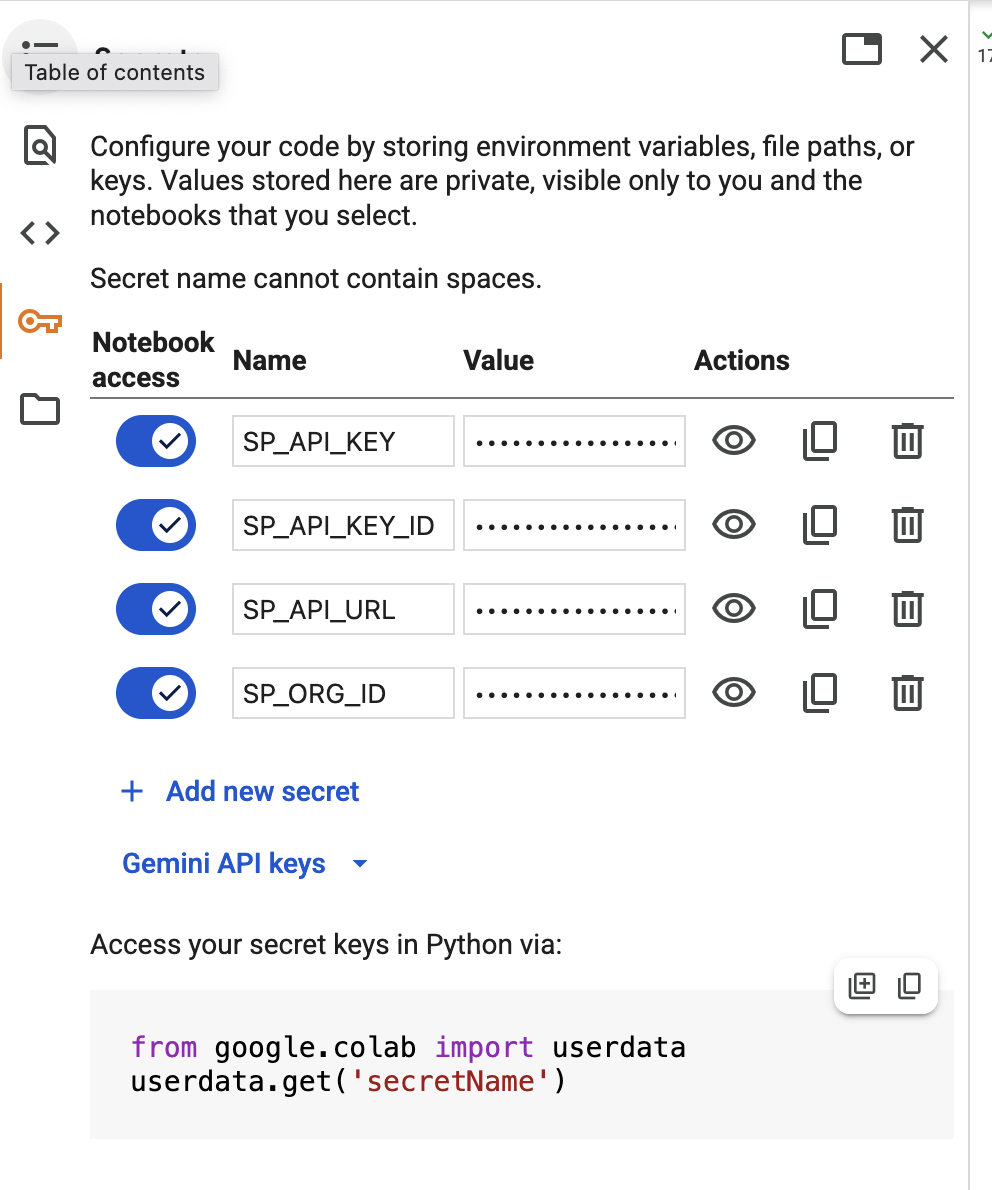
- Go to Signals > Overview in Snowplow Console to find your Signals credentials
- Add them to the notebook secrets:
- Install the SDK:
%pip install snowplow-signals
- Connect to Signals:
from snowplow_signals import Signals
from google.colab import userdata

sp_signals = Signals(
    api_url=userdata.get('SP_API_URL'),
    api_key=userdata.get('SP_API_KEY'),
    api_key_id=userdata.get('SP_API_KEY_ID'),
    org_id=userdata.get('SP_ORG_ID'),
)
Retrieving your session attributes
Use your current session ID to retrieve the attributes that Signals has just calculated about your session.
response = sp_signals.get_service_attributes(
    name="quickstart_service",
    attribute_key="domain_sessionid",
    identifier="472f97c1-eec1-45fe-b081-3ff695c30415", # UPDATE THIS
)

df=response.to_dataframe()
df
The result should look something like this:
domain_sessionid | page_view_count | most_recent_browser | first_referrer | |
|---|---|---|---|---|
| 0 | 472f97c1-eec1-45fe-b081-3ff695c30415 | 2.0 | Firefox | snowplow.io |
Retrieving single attributes
To retrieve individual attributes rather than using a service, use the get_group_attributes() method.
response = sp_signals.get_group_attributes(
    name="quickstart_group",
    version=1,
    attributes=["page_view_count"],
    attribute_key="domain_sessionid",
    identifiers=["472f97c1-eec1-45fe-b081-3ff695c30415"]
)

df=response.to_dataframe()
df