Learn how to perform real-time editorial analytics with Snowplow and ClickHouse
Welcome to the Real-time Editorial Analytics solution accelerator for media publishers.
This accelerator demonstrates how to leverage real-time Snowplow event data with ClickHouse Cloud to understand article engagement and user behavior on a media publisher site.
The image below shows the accelerator in action. On the left side, a user is engaging with a media website, reading articles and clicking different advertisements. The website sends events through a local Snowplow Micro pipeline.
The left side of the image shows the Snowplow events in the Snowplow Micro dashboard.
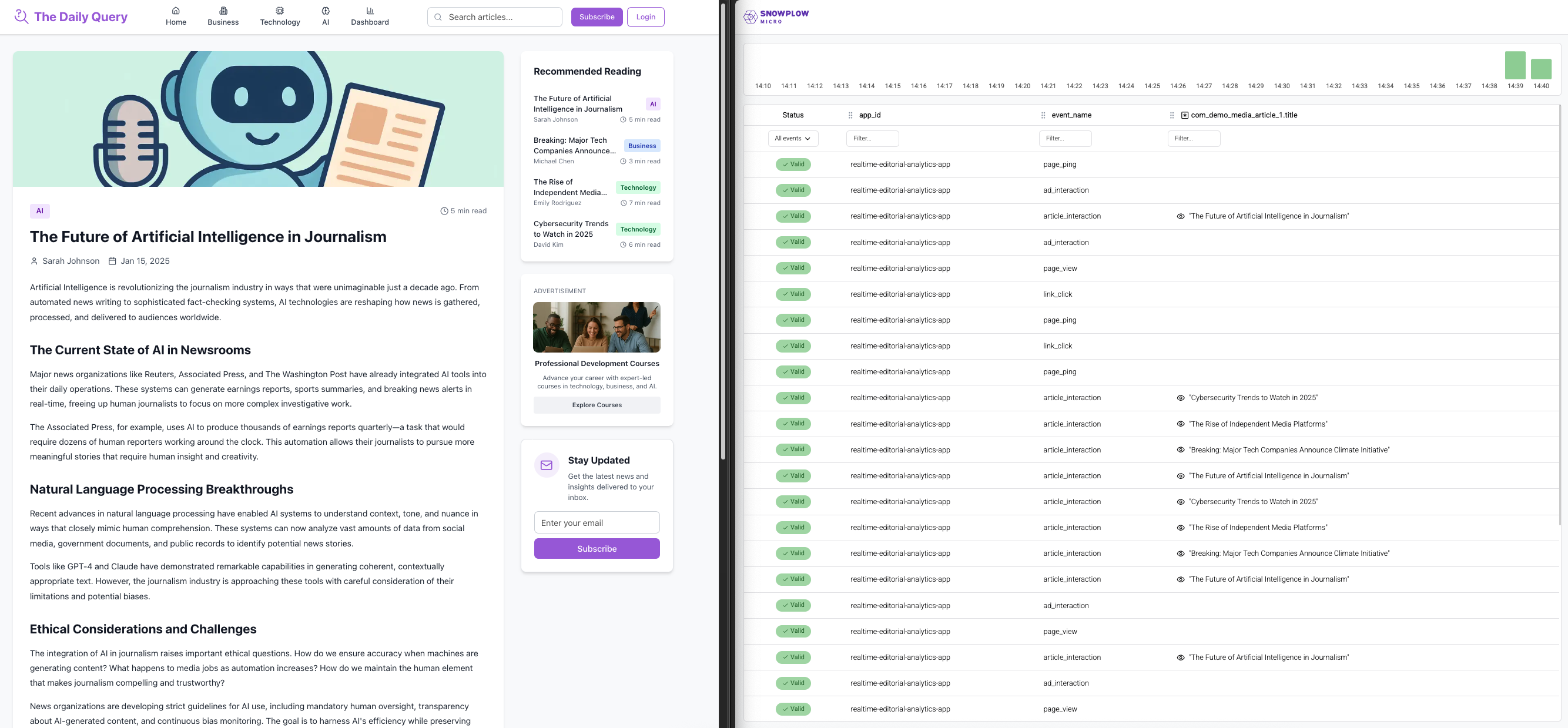
From here, events are forwarded to a ClickHouse table in near real-time latency. Each event is stored as an individual row in a single table, as seen on the left side of the image below.
On the right is an example dashboard, hosted as part of the accelerator website, which queries ClickHouse for real-time article engagement and ad performance metrics from the previous 30 minutes.
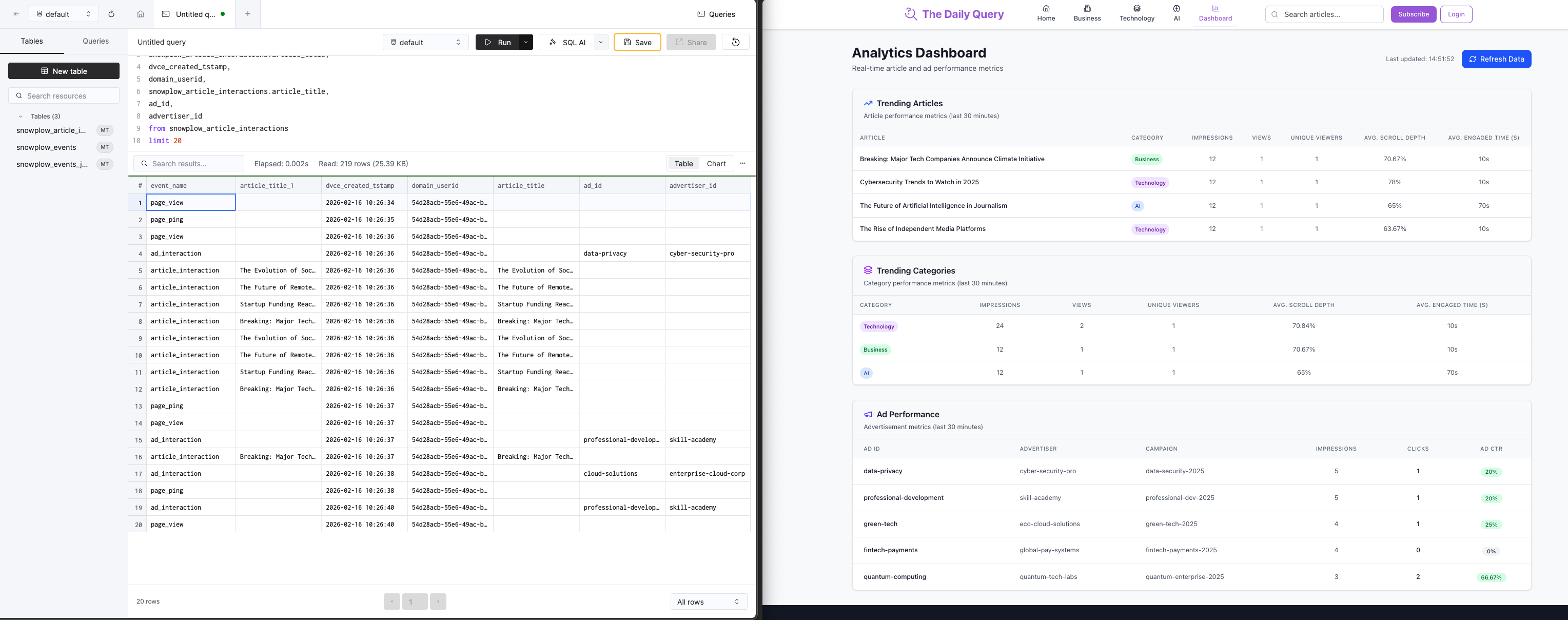
Through this hands-on guide, you'll learn how to build, deploy, and extend real-time, event-driven architectures using Snowplow and ClickHouse. The framework is inspired by real customer use cases in media.
This accelerator is open source (Apache 2.0). Feel free to use it as the foundation for practical applications such as real-time viewer insights, engagement analytics, ad performance tracking, or personalized content recommendations.
Solution accelerator code
The code for this infrastructure is available here on GitHub.
Architecture
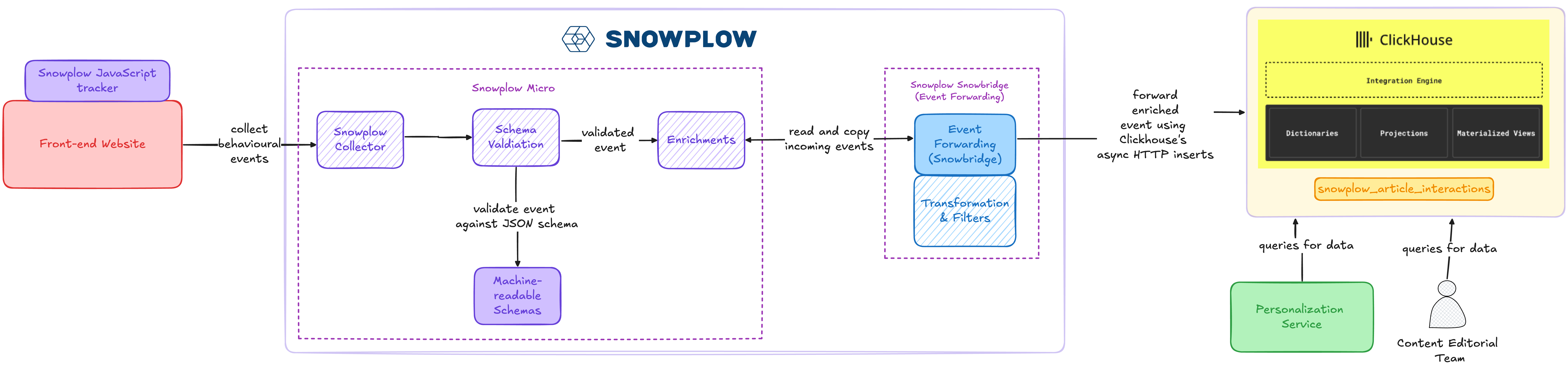
The solution comprises several interconnected components:
-
Web tracking application:
- A Next.js application with a number of articles and advertisements
- Snowplow tracking for events related to article engagement, e.g., article impressions, article views, ad impressions, ad clicks, or page pings, sent to the Snowplow Collector
- Code available in the
snowtype.tsfile in GitHub
-
Snowplow Micro:
- Snowplow Micro is a lightweight version of the Snowplow pipeline which can be run locally
- It passes validated and enriched events to Snowbridge
-
Snowplow Snowbridge (also known as Event Forwarding):
- Filters incoming Snowplow events to only forward a subset of events and dimensions to ClickHouse
- Publishes events and lands events in a single table in ClickHouse using ClickHouse's HTTP interface
-
ClickHouse Cloud:
- ClickHouse Cloud receives and stores events from Snowplow
- Stored data can be queried using ClickHouse's UI or via API
The following diagram maps out where each component sits in the end-to-end communication flow.
Prerequisites
You'll need a ClickHouse Cloud account to receive the Snowplow events. A 30-day free trial signup is available.
Acknowledgments
Thank you to the ClickHouse team for their support and collaboration with building this accelerator.