Observability for event forwarding and Identities
Console now includes dashboards for event forwarding and Identities, so you can check how reliably your forwarders deliver events and how your identity graph is growing.
Event forwarder metrics
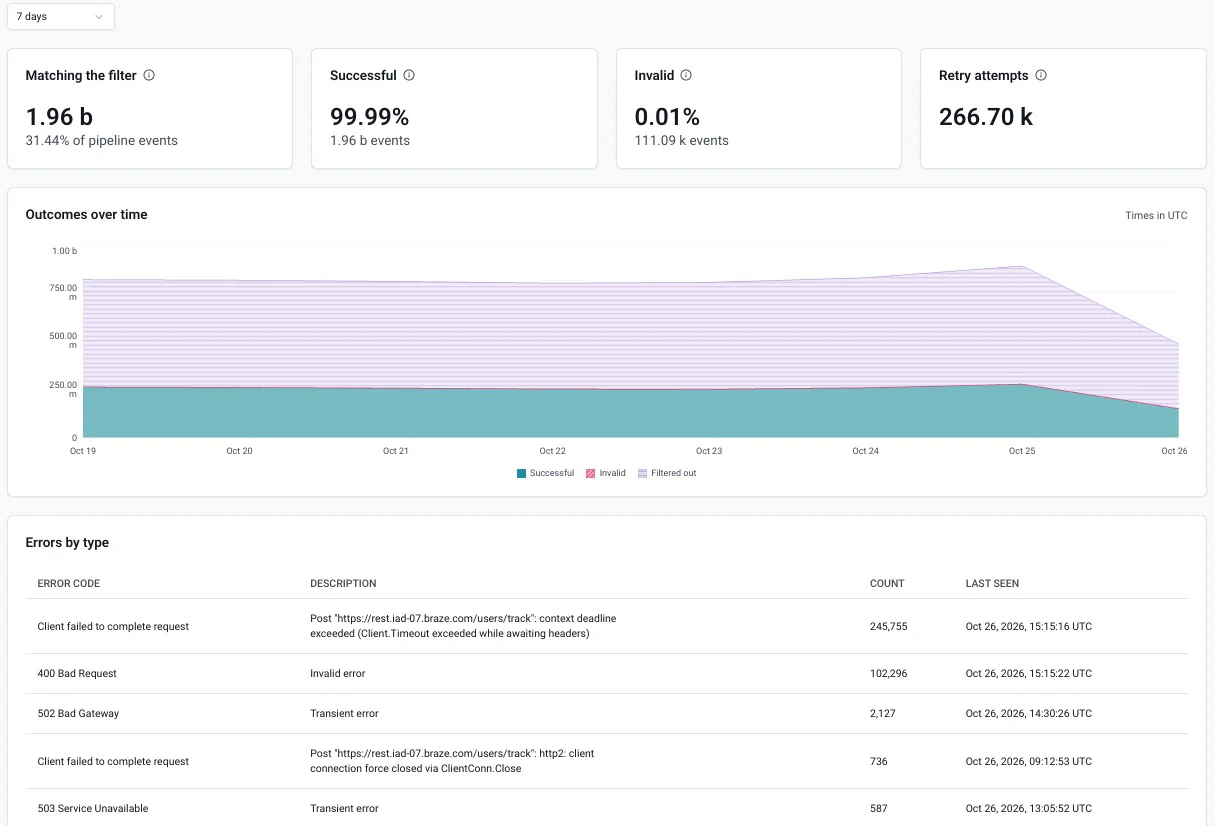
Each event forwarder has a dashboard. To open it, go to Destinations > Event forwarding and click the forwarder's name. The dashboard shows these figures:
- Matching the filter: events that matched the forwarder's filter and finished processing, and their share of all pipeline events
- Successful: events delivered to the destination
- Invalid: events that failed permanently, for example because of a transformation error or oversized data, or because they exceeded the retry limit
- Retry attempts: retries caused by transient issues, such as connection failures or timeouts. An event being retried is counted as Successful or Invalid once it's delivered or fails permanently.
A chart breaks down successful, invalid, and filtered-out events over time, and an Errors by type table lists each error code encountered, with its description, count, and when it was last seen.
You can view the last seven days, six hours, or one hour. The one-hour view is useful for checking the effect of a configuration change or confirming that a destination issue is resolved.
See Monitor and troubleshoot event forwarders for details.
Identities overview
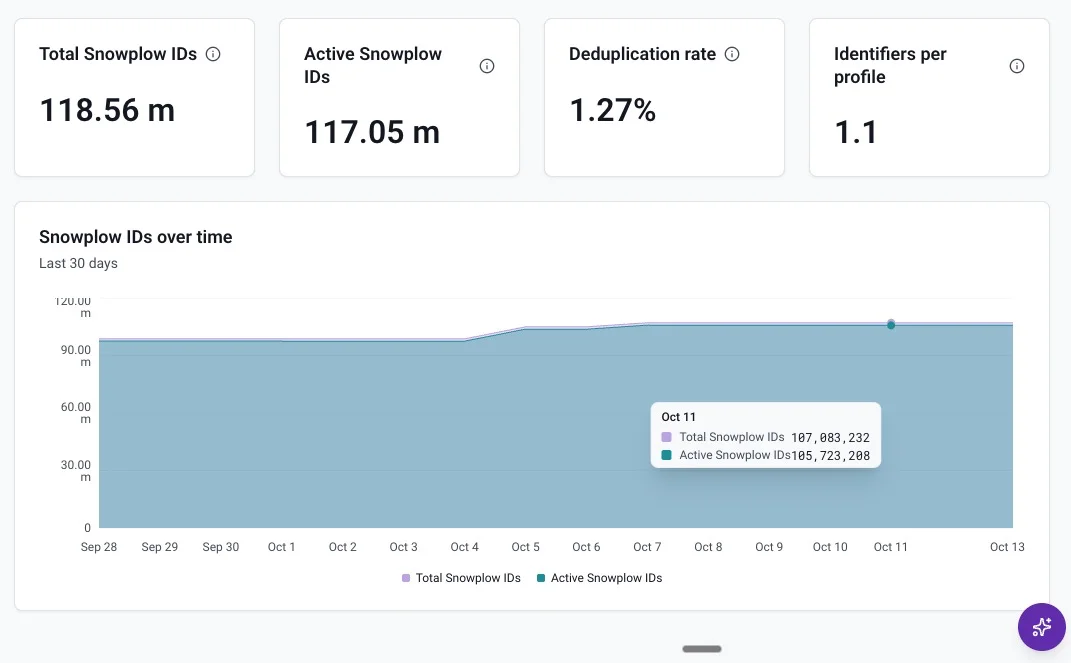
The Identities page has a new Overview tab with four headline figures:
- Total Snowplow IDs: every Snowplow ID created in the graph, including ones since merged into another
- Active Snowplow IDs: Snowplow IDs that haven't been merged
- Deduplication rate: the share of Snowplow IDs that have been merged into another Snowplow ID
- Identifiers per profile: the average number of identifiers the graph links to each active Snowplow ID
A chart shows total and active Snowplow IDs over the last 30 days.
See Monitor your identity graph for details.