Geolocation
caution
You are reading documentation for an outdated version. Here's the latest one!

If this plugin is enabled, the tracker will attempt to create a context from the visitor’s geolocation information. If the visitor has not already given or denied the website permission to use their geolocation information, a prompt will appear. If they give permission, then all events from that moment on will include their geolocation information.
Installation
npm install @snowplow/browser-plugin-geolocationyarn add @snowplow/browser-plugin-geolocationpnpm add @snowplow/browser-plugin-geolocation
Initialization
javascript
import { newTracker, trackPageView } from '@snowplow/browser-tracker';
import { GeolocationPlugin, enableGeolocationContext } from '@snowplow/browser-plugin-geolocation';

newTracker('sp1', '{{collector_url}}', {
   appId: 'my-app-id',
   plugins: [ GeolocationPlugin() ],
});

enableGeolocationContext();
Functions
enableGeolocationContext |
Context
Adding this plugin will automatically capture the following context:
| Context | Example |
|---|---|
| iglu:com.snowplowanalytics.snowplow/geolocation_context/jsonschema/1-1-0 | 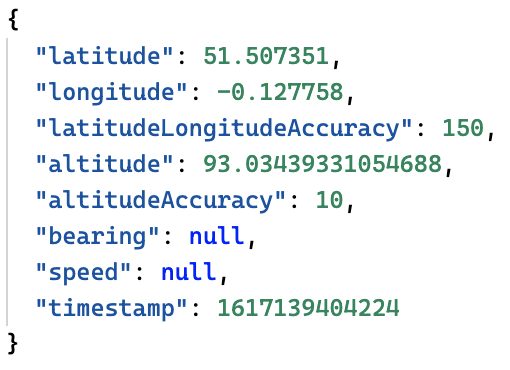 |