Define services
Services group attribute groups together for serving to your applications. They provide a stable interface for retrieving attributes: we strongly recommend using services in production applications.
- Console
- Python SDK
To create a service, go to Signals > Services in Snowplow Console and follow the instructions.
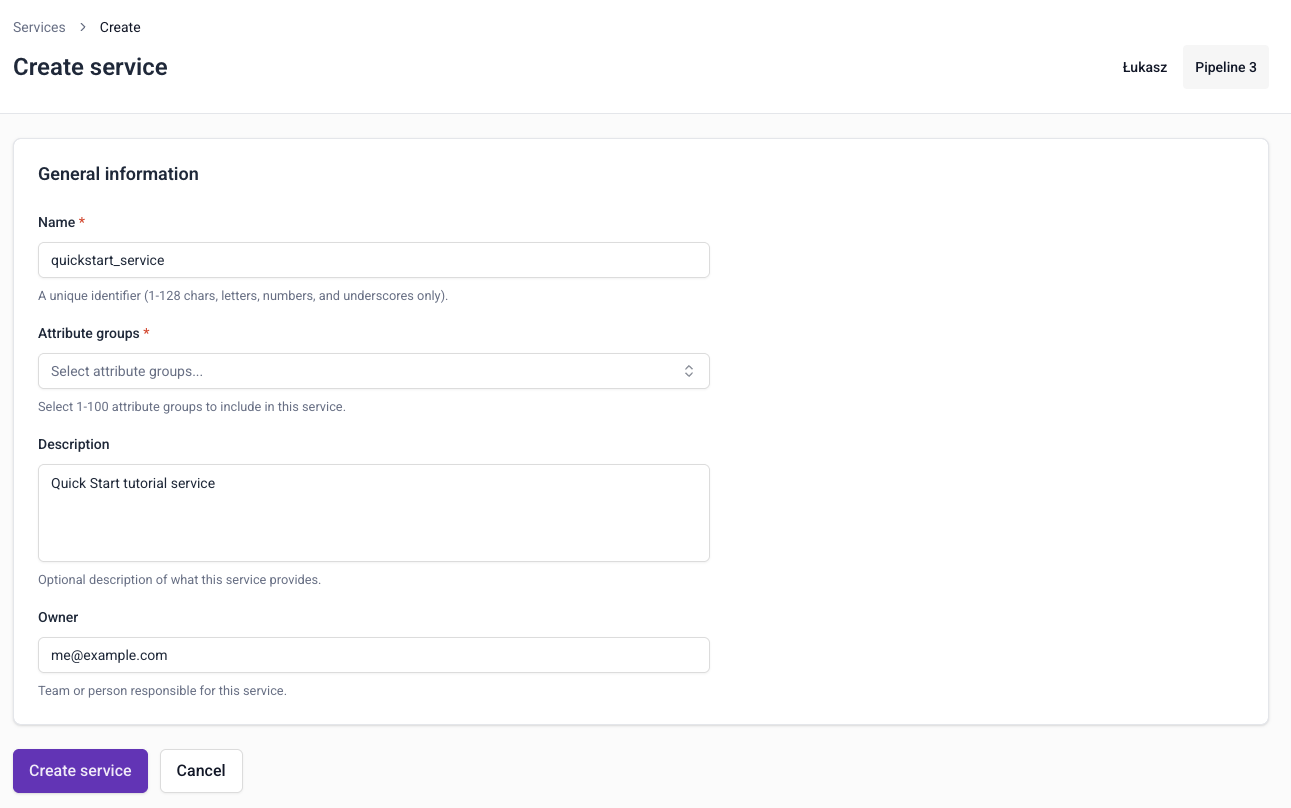
To configure a service, you'll need to specify:
- A unique name
- An optional description
- The email address of the primary owner or maintainer
- Which attribute groups to include
Use the Service class to define a service. You can refer to attribute groups either by passing the objects directly, or by name and version using a dictionary:
from snowplow_signals import Service

# Refer to attribute groups by name and version
my_service = Service(
    name='my_service',
    description='A collection of attribute groups',
    owner="user@company.com",
    attribute_groups=[
        {"name": "user_attributes", "version": 2},
        {"name": "session_attributes", "version": 1},
    ],
)

# Or pass the objects directly
my_service = Service(
    name='my_service',
    description='A collection of attribute groups',
    owner="user@company.com",
    attribute_groups=[
        my_attribute_group,
        another_attribute_group,
    ],
)
The table below lists all available arguments for a Service:
| Argument | Description | Type | Required? |
|---|---|---|---|
name | The name of the service | string | ✅ |
description | A description of the service | string | ❌ |
owner | The owner of the service | string | ✅ |
attribute_groups | List of attribute groups with optional version specification | list of AttributeGroup or dict | ❌ |
Versioning
When choosing which attribute groups to include, you'll select a specific version of each attribute group.
Services themselves are not versioned. You can update them to use different attribute groups, or different attribute group versions, at any time.
- Console
- Python SDK
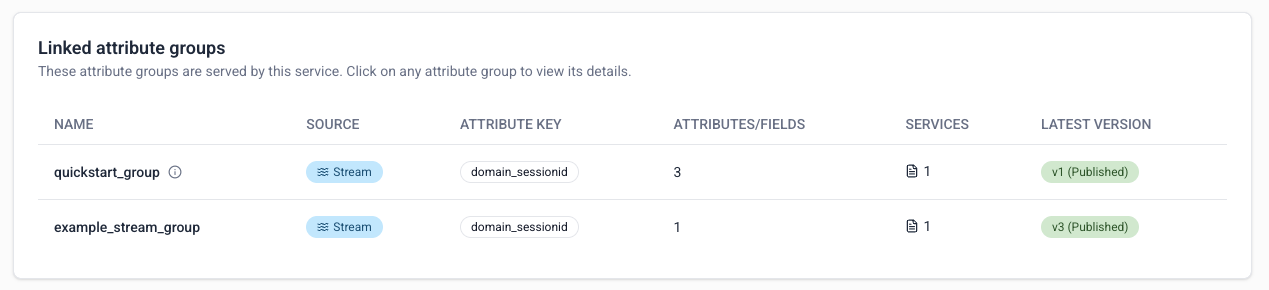
Specify the version of each attribute group in the attribute_groups list using a dictionary with name and version keys, or by using a versioned AttributeGroup object directly.
Manage services
- Console
- Python SDK
Services are automatically published as soon as they're created. They're a wrapper for consuming calculated attributes, and don't cause any additional processing themselves.
To edit a service definition, go to the service details page and click the Edit button.
To delete a service, go to the service details page and click the ⋮ button, then choose Delete.

Use publish() to register services with Signals.
from snowplow_signals import Signals

sp_signals = Signals({{ config }})

sp_signals.publish([
    my_service,
    my_other_service,
])
Signals calculates attributes from events flowing through a Snowplow pipeline. If you don't have one, you can start on the Signals free tier. It needs no credit card.