Define agentic contexts in Signals
An agentic context is a live, rolling record of a user's recent activity that you can hand to an agent to ground it in what the user is doing right now. You choose which events to capture and which of their details to keep, attach a written prompt for the agent, and read the result as JSON or as a plain-language narrative.
There are two methods for defining agentic contexts in Signals:
- Snowplow Console UI
- Signals Python SDK
Once defined, retrieve an agentic context in your application.
- Console
- Python SDK
To create an agentic context using the UI, go to Signals > Agentic contexts in Snowplow Console and follow the instructions.
The first step is to specify:
- A unique name
- An optional description
- Optional prompt instructions
- The email address of the primary owner or maintainer
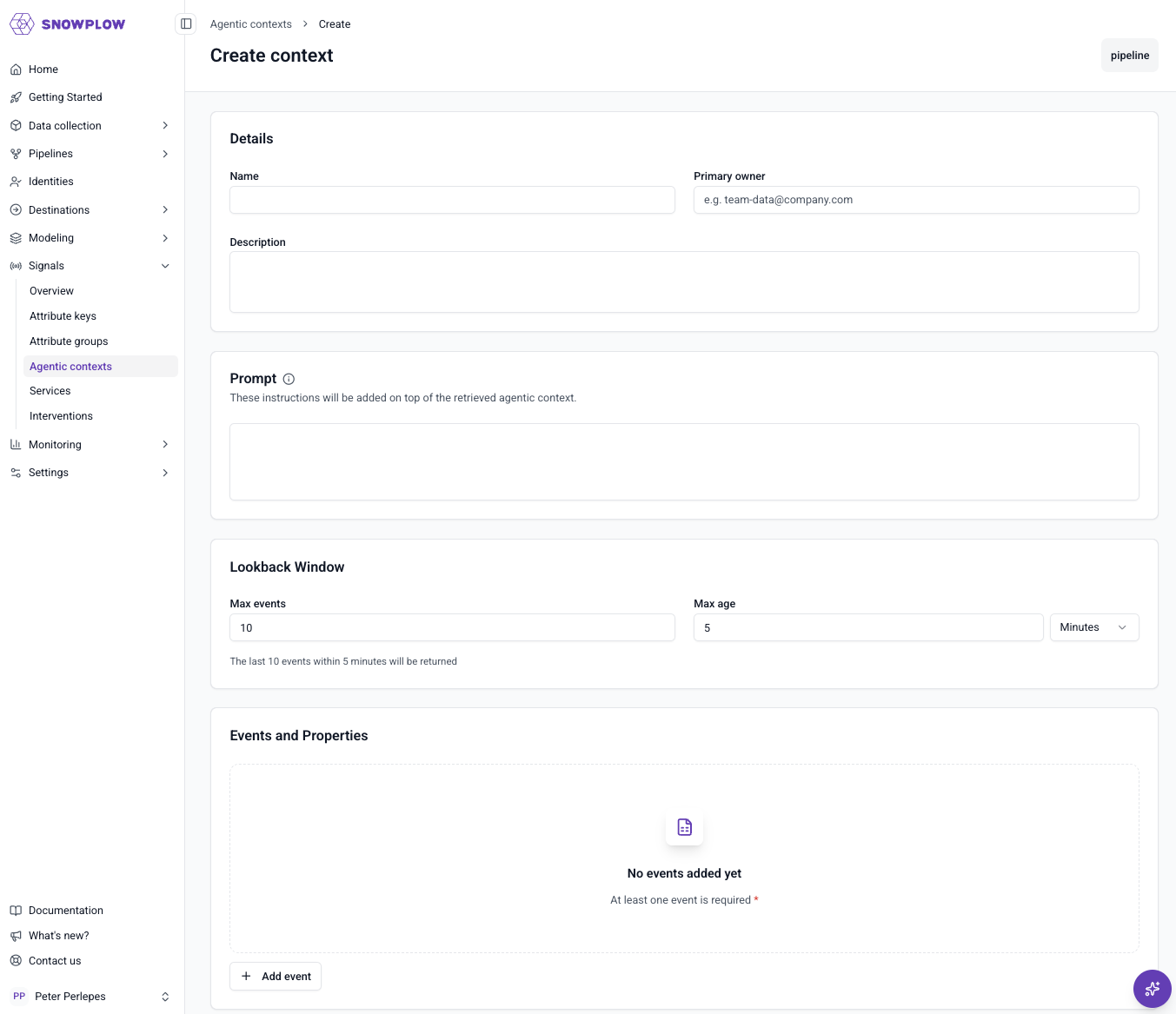
Start by connecting to Signals to create a Signals object. You'll need this connection to publish configurations to Signals.
Event logs are the building block for an agentic context, so the SDK exposes them as the structures to manage one.
from snowplow_signals import (
    EventLog, EventSelection, EventLogEvent,
    EventLogAtomicProperty, EventLogEventProperty,
    domain_sessionid,
)

my_agentic_context = EventLog(
    name="my_agentic_context",
    attribute_key=domain_sessionid,
    max_events=50,
    max_age_seconds=1800,
    events=[
        EventSelection(
            event=EventLogEvent(
                name="page_view",
                vendor="com.snowplowanalytics.snowplow",
                version="1-0-0",
            ),
            properties=[
                EventLogAtomicProperty(name="page_url"),
                EventLogEventProperty(
                    vendor="com.acme", name="my_field", major_version=1, path="$.foo"
                ),
            ],
        )
    ],
)
The table below lists the main fields of an agentic context.
| Field | Description | Required? |
|---|---|---|
name | The unique name of the agentic context | ✅ |
attribute_key | The attribute key the log is scoped to (domain_sessionid) | ✅ |
events | The events to capture, and the properties to project from each | ✅ |
max_events | Maximum number of events retained in the buffer (up to 100) | ✅ |
max_age_seconds | Maximum age, in seconds, of events retained (up to 3600) | ✅ |
description | A human-readable description | |
owner | The email of the primary maintainer | |
prompt | Free-text instruction handed to the agent on read |
Selecting events
Choose which events to capture in the agentic context, and which details to keep from each one. This lets you shape the context around a purpose, so your system or an agent reads only what's relevant to its job. You can select up to 20 events, and for each event project up to 50 properties. Properties can come from the atomic event, the event schema, or entities attached to the event.
- Console
- Python SDK
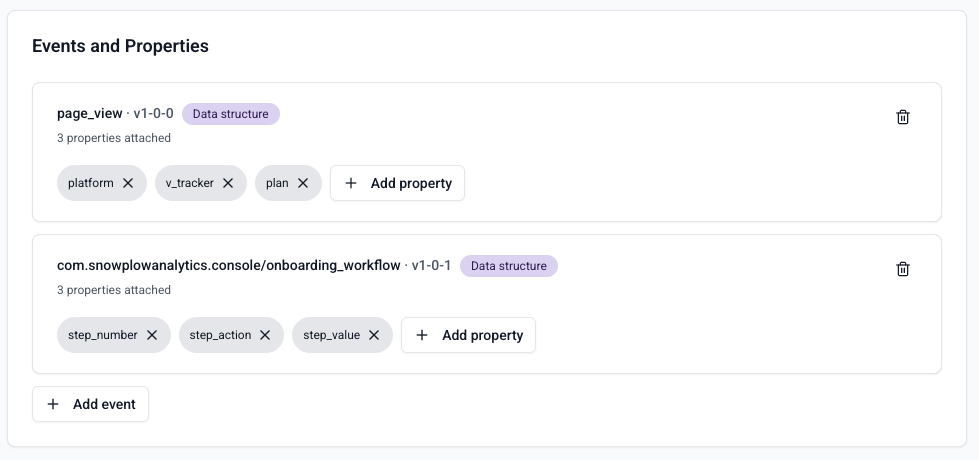
Pass one EventSelection per event you want to capture, pairing an EventLogEvent reference with the properties to project:
| Argument | Description | Type | Required? |
|---|---|---|---|
event | The event schema to match | EventLogEvent | ✅ |
properties | The properties to project from each matching event (1-50) | list of property objects | ✅ |
Use EventLogEvent to reference the event schema, either by name/vendor/version or by event_specification_id. Pin an exact version with version (e.g. "1-0-0"), or match any minor/patch within a major release using major_version instead. Only one of version or major_version may be set.
| Argument | Description | Type |
|---|---|---|
name | Name of the event | string |
vendor | Vendor of the event | string |
version | Exact event version, e.g. 1-0-0 | string |
major_version | Major-version pin, matches any minor/patch. Mutually exclusive with version | int |
event_specification_id | Event specification ID. Mutually exclusive with name/vendor/version | string |
Each entry in properties is one of three types:
EventLogAtomicProperty: an atomic property, referenced byname(e.g.page_url)EventLogEventProperty: a property from the event's own schema, referenced byvendor,name,major_version, and a JSONPath-likepathEventLogEntityProperty: a property from an entity attached to the event, referenced the same way asEventLogEventProperty, plus anindexfor the nth entity instance (defaults to0)
All three accept an optional output_name to set the property's key in the resulting agentic context. Set this to resolve conflicts when two properties would otherwise share the same key.
Limits
An agentic context is a rolling window of recent activity, not a full history. It keeps the most recent events, up to the limits you set:
- A maximum number of events (up to 100)
- A maximum age (up to 1 hour)
Older activity rolls off once either limit is reached.
An agentic context tracks a single user's activity within their current session, scoped to the domain_sessionid attribute key. Following a user across sessions is on the roadmap, but not available yet.
Prompt
Each agentic context carries a free-text prompt: instructions handed to the agent alongside the captured activity. Use it to tell the agent what job it's doing and what to do with this specific data, for example its role, what it should conclude from the activity, or what action to take next. The prompt has no effect on which events are captured. It only shapes how the agent interprets and acts on them. Edit this text and re-publish to refine that interpretation without changing the underlying data or how the agentic context is consumed.
Publishing an agentic context
Every change you make starts as a draft. Your currently published agentic context stays live while you edit, with no danger of half-finished changes going live. Publishing takes effect within a few seconds. If you change your mind, discard the draft and the live version is unaffected.
Unlike other Signals resources, agentic contexts aren't versioned. There's one published agentic context per name, and it's always the one in effect. Publishing a draft replaces what was live.
- Console
- Python SDK
To send the configuration to your Signals infrastructure, click Publish.
Use publish() to register the agentic context with Signals.
# The Signals connection object has been created as sp_signals

sp_signals.publish([my_agentic_context])
Deleting an agentic context
You can't delete an agentic context while it's published. Unpublish it first, then delete it. This prevents accidentally breaking any live system depending on an agentic context.
- Console
- Python SDK
To unpublish or delete an agentic context, click the ⋮ button on the top right of the details page and select the available option.
Use unpublish() to take the agentic context out of effect without losing its definition. Use delete() to permanently remove it. It must be unpublished first.
# Unpublish
sp_signals.unpublish([my_agentic_context])

# Delete permanently (must unpublish first)
sp_signals.delete([my_agentic_context])
For worked examples of what an application does with an agentic context, see customer-aware AI agents on the Signals site.
Signals calculates attributes from events flowing through a Snowplow pipeline. If you don't have one, you can start on the Signals free tier. It needs no credit card.