Monitor your identity graph
The Overview tab on the Identities page in Snowplow Console shows how your identity graph is developing. Use it after you deploy Identities or change your identifiers to check that events are linking to Snowplow IDs as you expect.
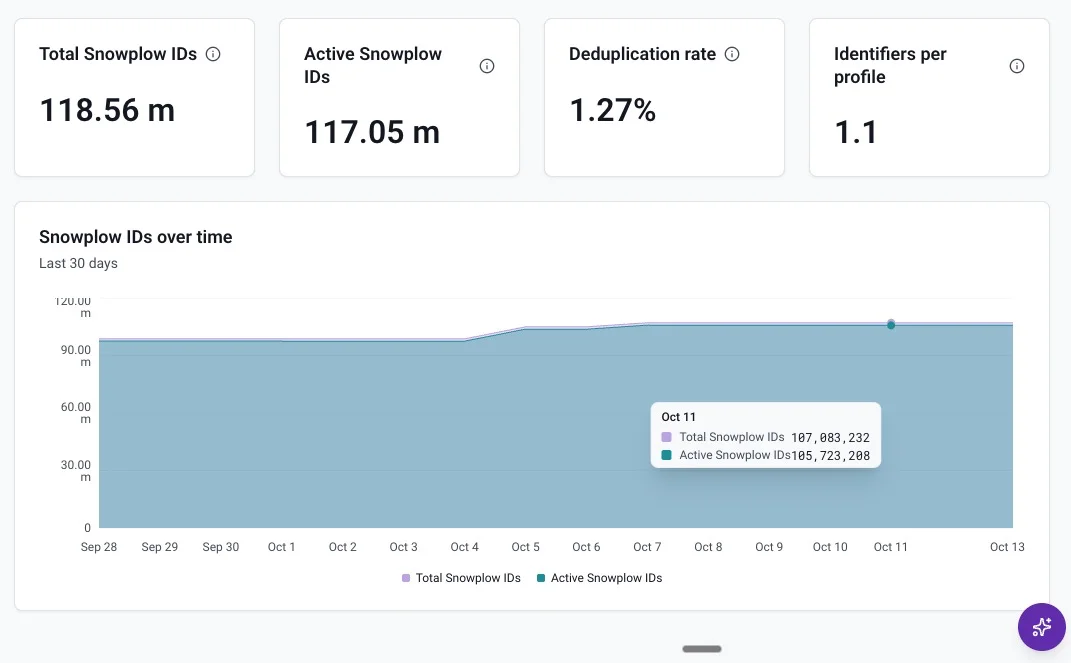
Read the headline figures
The top of the tab shows four figures for the whole graph:
- Total Snowplow IDs: every Snowplow ID created in the graph, including ones since merged into another
- Active Snowplow IDs: Snowplow IDs that haven't been merged
- Deduplication rate: the share of Snowplow IDs that have been merged into another Snowplow ID
- Identifiers per profile: the average number of identifiers the graph links to each active Snowplow ID, where each active Snowplow ID represents one user profile
A high Identifiers per profile value can mean that one of your identifiers is unstable for each user, which inflates the graph and increases cost. See choosing identifiers for how to check this against your warehouse.
Track Snowplow IDs over time
Below the headline figures, a chart shows total and active Snowplow IDs over the last 30 days. A widening gap between the two lines means more Snowplow IDs are being merged.