For AI agents: a Markdown version of this page is at https://docs.snowplow.io/docs/event-studio/hand-off-to-implementation.md. The index of all documentation pages is at https://docs.snowplow.io/llms.txt, and the index for this section is at https://docs.snowplow.io/docs/cdi/llms.txt.
Hand off a tracking plan to developers
Once you've defined the event specifications in your tracking plan, developers use them to instrument tracking code in your applications, either manually or with code generation in Console or Snowtype.
Before you begin
Before you hand off a tracking plan, you need:
- A tracking plan with its event specifications defined.
- A source application, to use the Set up tracking tab.
Choose an implementation method
Pick the method that fits the tracker and the work your developers need to do. For custom tracking on web, you can use the Console code snippets with or without Snowtype.
| Method | What developers get | Go to |
|---|---|---|
| Set up tracking tab on a source application | A tracker initialization snippet, with the Collector URL, app ID, and automatic tracking settings you choose. JavaScript tracker only. | Initialize the tracker from a source application |
| Console code snippets | The exact tracking call for each event specification, including all required properties and entities. JavaScript tracker only, for event specifications with custom event data structures. | Share event-specific code snippets |
| Snowtype | Type-safe tracking code generated from your event specifications and data structures, for the supported trackers. The Implement tracking button on a tracking plan page gives the Snowtype generate command for that plan. | Generate tracking code with Snowtype |
| A coding agent with the Snowplow MCP server and skills | Tracking added to your application from your tracking plans and event specifications, with a check that the events arrive. | Snowplow MCP server and skills |
For example, ask a coding agent: "Implement the event specifications from our checkout tracking plan in this app, and confirm each event reaches my development pipeline."
Install the Snowplow MCP server and skills in your coding agent, such as Claude Code, Cursor, or Codex, with npx plugins add snowplow/skills. In Console, the Snowplow Assistant has the same tools.
Initialize the tracker from a source application
Once you have created a source application, you can use the Set up tracking tab to configure tracking and generate ready-to-use code snippets.
The Set up tracking tab supports the JavaScript tracker. You can always customize your tracking further by referring to the tracker documentation.
The Set up tracking tab provides a visual interface to configure your tracker and generates code snippets based on your selections.
Set the Collector URL and app ID
Configure the basic tracker settings:
- Collector URL: the endpoint where your events will be sent
- App ID: select one of the application IDs associated with your source application

Choose automatic tracking
Enable out-of-the-box tracking features to capture common user interactions without additional code:
- Page views: automatically track when pages are viewed
- Link clicks: capture clicks on links
- Form interactions: track form submissions and field interactions
- Page pings: monitor user engagement with periodic activity pings
Toggle these features based on your tracking requirements.

Copy the tracker code
The code snippet at the bottom of the Set up tracking tab updates in real time as you modify settings. Copy the code snippet and integrate it into your application to begin tracking.
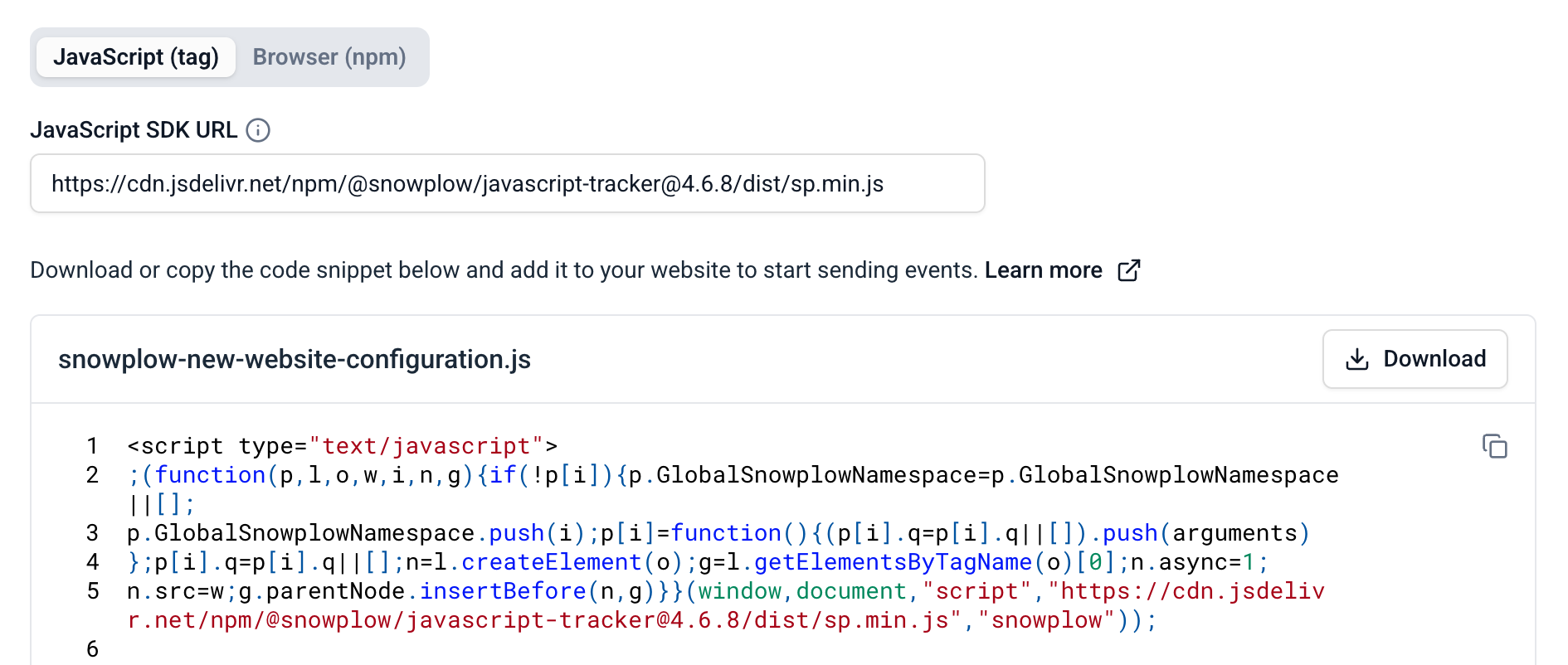
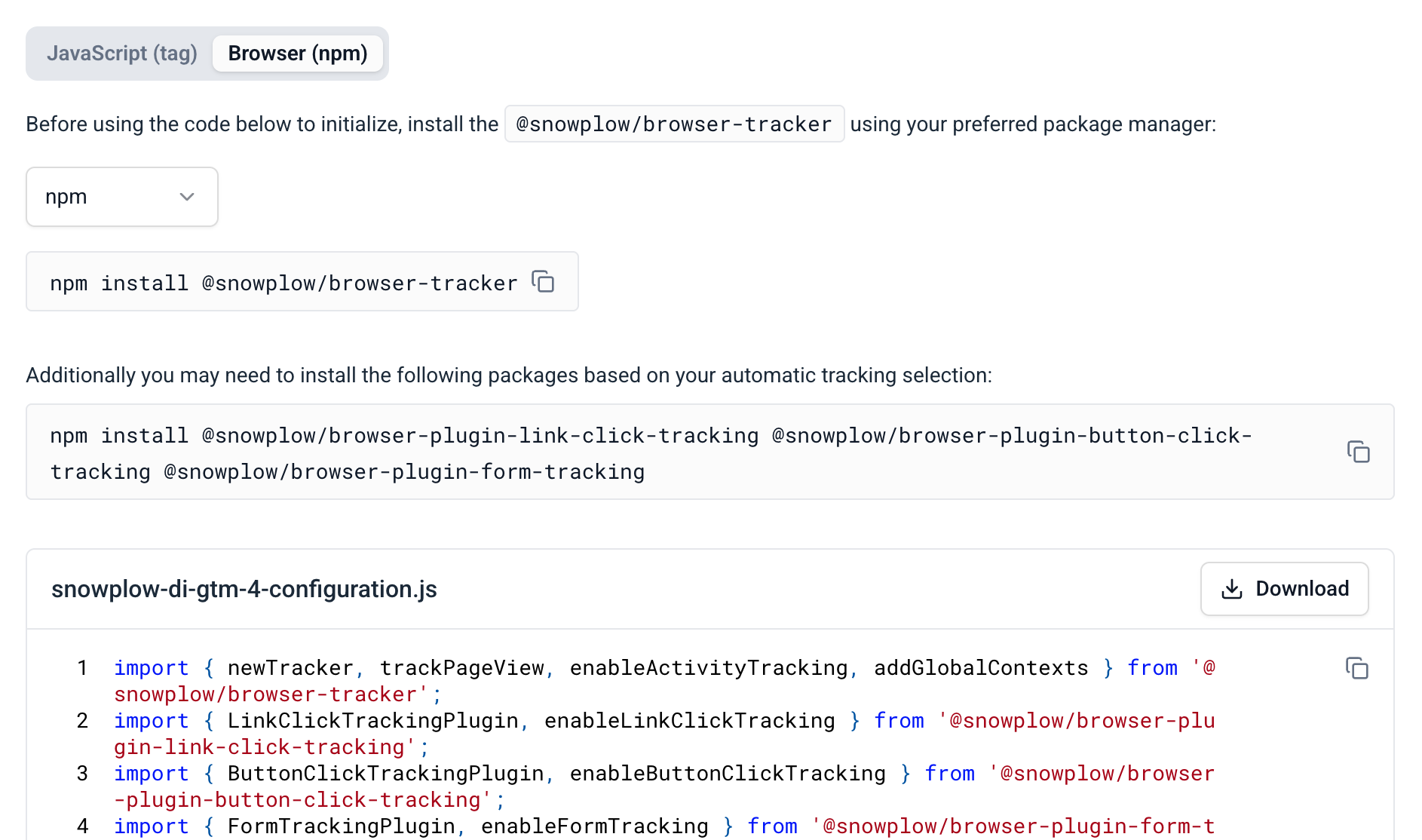
Choose your implementation method:
- JavaScript (tag)
- Browser (npm)
Add a <script> tag to your website.
The SDK URL is pre-filled with a CDN URL for the most recent tracker version. You can edit it if you host the tracker on your own domain.
Install the tracker as an npm package for bundled applications and any required plugins using your preferred package manager.
Share event-specific code snippets
When you view an event specification in Console, the Working with this event section provides ready-to-use code snippets with the exact tracking calls for the event, including all required properties and entities. Developers paste a snippet into the application code and provide the property values. The snippets are available for the JavaScript tracker only, for event specifications with custom event data structures. See Console code snippets for an example snippet.
Generate tracking code with Snowtype
Snowtype is Snowplow's CLI code generation tool, available for Snowplow CDI customers only. It reads your event specifications and data structures from your Snowplow account, and generates type-safe tracking code for the language and tracker you specify. See implement tracking with Snowtype for its workflow and supported trackers, and install Snowtype to get started.
Snowtype does not support tracking plan templates.
Snowtype version 0.17.0 or later attaches the event specification version to tracked events, which event specification validation needs. Events tracked with earlier Snowtype versions don't produce a validation entity.
When the tracking is in place, test, promote, and publish your tracking design. For a guided version of this hand-off, use the Implement tracking card on the Getting Started dashboard in Console.